Design Quality Scorecard
47 design review global
Use when a finished DESIGN needs scoring and feedback — brand consistency, hierarchy plus readability plus accessibility, conversion elements, and platform fit, 10 points each, with per-issue feedback in issue, why, and how-to-fix form…
---
name: 47-design-review-global
description: "Use when a finished DESIGN needs scoring and feedback — brand consistency, hierarchy plus readability plus accessibility, conversion elements, and platform fit, 10 points each, with per-issue feedback in issue, why, and how-to-fix form and a verdict of approve, minor fix, or redo. Trigger on 'design review', 'review this design', 'score this creative', 'is this design good', 'brand check on this banner', 'can we ship this or not'. Also use when the user just sends an image and asks for thoughts. Not for — reviewing copy and briefs, see `62-marketing-review-global`; writing the brief before production, see `42-image-brief-global`; the brand rules being checked against, see `46-brand-guideline-global`."
metadata:
  version: 1.0.1
  category: operations
license: MIT
triggers:
  - "design review"
  - "review this design"
  - "design feedback"
  - "score this design"
  - "brand check"
  - "is this design good"
  - "approve this design"
  - "visual check"
output: "File .md or in-chat feedback — quick verdict, 4-group score out of 40, detailed checklist, feedback in issue - why - how to fix format, action summary. The designer can act on it immediately."
related:
Overview
Reviewing design is not about liking it. It is checking whether the design does its job. Beautiful work that does not convert has failed. Converting work that breaks the brand has also failed. Feedback must be specific enough for the designer to act without asking.
Manual install (npx, ZIP)
npx skills add minhnv0807/ai-business-skills --skill 47-design-review-global -g -a claude-codenpx degit minhnv0807/ai-business-skills/skills/en/47-design-review-global#master ~/.claude/skills/47-design-review-globalConnects with Agent Alley MCP · agentalley.io/mcp
Files included
SKILL.md8.9 KB
Read SKILL.md here
Show the full text183 lines
Design Review (Global)
Reviewing design is not about liking it. It is checking whether the design does its job. Beautiful work that does not convert has failed. Converting work that breaks the brand has also failed. Feedback must be specific enough for the designer to act without asking.
Information gathering
Read the brand guideline (46-brand-guideline-global) and the originating brief. If information is missing, ask up to 4 questions:
- What is being reviewed? File, screenshot, or share link — and what type (social post, ad banner, carousel, landing page, email)?
- Objective and funnel stage? Awareness, trust, or conversion — TOFU, MOFU, or BOFU?
- Which channel does it run on? Meta, TikTok, Instagram, LinkedIn, Pinterest, email, or website?
- Which brand guideline applies? If none exists, the brand section can only be scored loosely — propose running
46-brand-guideline-globalfirst.
Principles
- Feedback specific enough to fix without a follow-up. "It doesn't feel right" is not feedback.
- Separate must-fix (blocker) from should-fix (suggestion).
- Never reject on personal taste — every deduction cites a checklist item.
- Review within 24 hours. Do not let a designer wait and block the workflow.
- Once approved, do not reopen after the designer exports.
- If more than 50% needs rebuilding, rewrite the brief instead of looping revisions.
Workflow
1. Look at the whole thing first (3 seconds)
View it as a real user would — do not zoom into detail yet. Answer two questions: within three seconds, is it clear what this design is saying? Where does the eye land first?
2. Score the 4 criteria groups
Each group is worth 10 points, 40 total. Score against the checklist below; deduct in proportion to the impact of each failure.
3. Write feedback in the standard format
Every issue is written as [Issue] -> [Why it is wrong] -> [Exactly how to fix it].
4. Give a verdict and an action summary
State the verdict, list fixes in priority order, and name the condition for approval.
Output structure
# Design Review — [Asset name] — [date]

## Quick verdict
| Criterion | Assessment | Note |
|-----------|-----------|------|
| On brand? | OK / Warning / Fail | |
| Clear hierarchy? | OK / Warning / Fail | |
| Readable on mobile? | OK / Warning / Fail | |
| Meets the objective? | OK / Warning / Fail | |

## Total: [X/40]
| Group | Score | Assessment |
|-------|-------|-----------|
| A. Brand consistency | /10 | |
| B. Hierarchy, readability, accessibility | /10 | |
| C. Conversion elements | /10 | |
| D. Platform fit | /10 | |

Verdict: APPROVE / MINOR FIX (fix per notes, no re-review needed) / REDO [section] (reason)

## A. Brand consistency [/10]
- [ ] Logo uses the right version, position, and clear space
- [ ] Colors match the brand palette exactly (not a near-match with the wrong value)
- [ ] Fonts are [heading font] / [body font]
- [ ] Visual tone matches the brand personality
- [ ] No element violates a guideline do or don't
- [ ] No generic stock imagery diluting the brand
Issue: [issue] -> [why] -> [how to fix]

## B. Hierarchy, readability, accessibility [/10]
- [ ] One clear focal point — no competing centers of attention
- [ ] Logical reading order: headline -> subhead -> body -> CTA
- [ ] The most important element carries enough visual weight (size, color, contrast)
- [ ] The headline is readable in three seconds
- [ ] Body type is at least 14px and readable on a phone
- [ ] Text contrast meets WCAG AA: 4.5:1 for body, 3:1 for large text (24px+, or 18.66px+ bold)
- [ ] Icons and meaningful graphics meet 3:1 contrast; meaning is never carried by color alone
- [ ] Alt text is drafted and ready for the post or email; video has captions
- [ ] Not overloaded — three messages maximum, enough negative space
- [ ] Spacing is consistent (8px grid); no typos, broken glyphs, or missing characters
Issue: [issue] -> [why] -> [how to fix]

## C. Conversion elements [/10]
- [ ] CTA stands out, contrasts with its ground, uses a verb plus a benefit
- [ ] USP or offer is explicit (at BOFU the viewer knows exactly what they get)
- [ ] Trust elements present where needed: figures, testimonial, badge
- [ ] Urgency or scarcity present if the campaign requires it, and genuinely true
- [ ] The hook is strong enough (at TOFU, it stops the scroll in about 1.5 seconds)
- [ ] Claims are substantiated; disclosures present where required
Issue: [issue] -> [why] -> [how to fix]

## D. Platform fit [/10]
- [ ] Dimensions match the channel spec
- [ ] Safe zones respected — text and CTA are not covered by UI or cropped
- [ ] Mobile-friendly (readable at 375px width)
- [ ] File size and format correct (JPG/PNG/MP4/PDF)
- [ ] Overlay text kept light enough not to crowd the frame
- [ ] Email: 600px width, CTA button at least 44px tall
Issue: [issue] -> [why] -> [how to fix]

## Action summary
Keep: [element] — [why it works]
Fix now (must fix):
1. [issue] -> [fix] -> [deadline]
Consider (should fix):
1. [suggestion] -> [reason]
Approve when: [specific condition]
Platform spec quick reference
| Channel | Dimensions | Safe zone |
|---|---|---|
| Meta Feed (FB/IG) | 1080x1080 (1:1) / 1080x1350 (4:5) | 20px each edge |
| Meta Story / Reels | 1080x1920 (9:16) | 250px top / 250px bottom |
| TikTok / Reels | 1080x1920 (9:16) | 150px top / 300px bottom, ~140px right |
| 1200x627 (1.91:1) | 40px each edge | |
| 1000x1500 (2:3) | 60px each edge | |
| YouTube thumbnail | 1280x720 (16:9) | avoid the bottom-right timestamp overlay |
| Email header | 600x200 | 10px each edge |
| Landing page hero | 1440px desktop / 375px mobile | headline and CTA visible without scrolling |
Decision rules
- Any group below 5/10 means REDO that group — do not approve overall.
- Brand failures (group A) are blockers: a high total does not rescue an off-brand asset.
- Accessibility failures at body-text contrast are must-fix, not suggestions.
- REDO covering more than 50% of the work means going back to the originating brief (
42,43,45) and rewriting it before rebuilding. - MINOR FIX means the designer applies the notes and exports without another approval round.
- The reviewer commits to feedback within 24 hours. For urgent in-flight assets, the SLA in
48-quick-visual-brief-globalapplies (30 minutes).
Related skills
46-brand-guideline-global: the basis for group A — read it before reviewing.42-image-brief-global,43-carousel-brief-global,45-design-tool-brief-global,12-landing-page-brief-global: the originating brief to check the design against.49-html-email-template-global: email-specific rendering and client checks before sending.41-campaign-asset-list-global: after approval, update the asset status (REVIEW to APPROVED).48-quick-visual-brief-global: urgent in-flight assets get a 3-point check, not the full 40-point review.
Quality checklist
- Whole-design look before zooming into detail
- All 4 groups scored, each with a score and checklist evidence
- Every issue written as issue -> why -> how to fix
- Must-fix clearly separated from should-fix
- Accessibility contrast and text size explicitly checked
- Clear verdict plus a specific approval condition
- A "keep" section recognizing what works — not criticism only
- Feedback returned within 24 hours
- Asset status updated in the asset list after review
| 1 | |
| 2 | name 47-design-review-global |
| 3 | description "Use when a finished DESIGN needs scoring and feedback — brand consistency, hierarchy plus readability plus accessibility, conversion elements, and platform fit, 10 points each, with per-issue feedback in issue, why, and how-to-fix form and a verdict of approve, minor fix, or redo. Trigger on 'design review', 'review this design', 'score this creative', 'is this design good', 'brand check on this banner', 'can we ship this or not'. Also use when the user just sends an image and asks for thoughts. Not for — reviewing copy and briefs, see `62-marketing-review-global`; writing the brief before production, see `42-image-brief-global`; the brand rules being checked against, see `46-brand-guideline-global`." |
| 4 | metadata |
| 5 | version 1.0.1 |
| 6 | category operations |
| 7 | license MIT |
| 8 | triggers |
| 9 | - "design review" |
| 10 | - "review this design" |
| 11 | - "design feedback" |
| 12 | - "score this design" |
| 13 | - "brand check" |
| 14 | - "is this design good" |
| 15 | - "approve this design" |
| 16 | - "visual check" |
| 17 | output "File .md or in-chat feedback — quick verdict, 4-group score out of 40, detailed checklist, feedback in issue - why - how to fix format, action summary. The designer can act on it immediately." |
| 18 | related |
| 19 | - product-marketing-context-global |
| 20 | - 46-brand-guideline-global |
| 21 | - 41-campaign-asset-list-global |
| 22 | - 42-image-brief-global |
| 23 | - 43-carousel-brief-global |
| 24 | - 45-design-tool-brief-global |
| 25 | - 49-html-email-template-global |
| 26 | - 62-marketing-review-global |
| 27 | - 12-landing-page-brief-global |
| 28 | |
| 29 | |
| 30 | # Design Review (Global) |
| 31 | |
| 32 | Reviewing design is not about liking it. It is checking whether the design does its job. Beautiful work that does not convert has failed. Converting work that breaks the brand has also failed. Feedback must be specific enough for the designer to act without asking. |
| 33 | |
| 34 | ## Information gathering |
| 35 | |
| 36 | Read the brand guideline (`46-brand-guideline-global`) and the originating brief. If information is missing, ask up to 4 questions: |
| 37 | |
| 38 | **What is being reviewed?** File, screenshot, or share link — and what type (social post, ad banner, carousel, landing page, email)? |
| 39 | **Objective and funnel stage?** Awareness, trust, or conversion — TOFU, MOFU, or BOFU? |
| 40 | **Which channel does it run on?** Meta, TikTok, Instagram, LinkedIn, Pinterest, email, or website? |
| 41 | **Which brand guideline applies?** If none exists, the brand section can only be scored loosely — propose running `46-brand-guideline-global` first. |
| 42 | |
| 43 | ## Principles |
| 44 | |
| 45 | **Feedback specific enough to fix without a follow-up.** "It doesn't feel right" is not feedback. |
| 46 | **Separate must-fix (blocker) from should-fix (suggestion).** |
| 47 | **Never reject on personal taste** — every deduction cites a checklist item. |
| 48 | **Review within 24 hours.** Do not let a designer wait and block the workflow. |
| 49 | **Once approved, do not reopen** after the designer exports. |
| 50 | **If more than 50% needs rebuilding, rewrite the brief** instead of looping revisions. |
| 51 | |
| 52 | ## Workflow |
| 53 | |
| 54 | ### 1. Look at the whole thing first (3 seconds) |
| 55 | |
| 56 | View it as a real user would — do not zoom into detail yet. Answer two questions: within three seconds, is it clear what this design is saying? Where does the eye land first? |
| 57 | |
| 58 | ### 2. Score the 4 criteria groups |
| 59 | |
| 60 | Each group is worth 10 points, 40 total. Score against the checklist below; deduct in proportion to the impact of each failure. |
| 61 | |
| 62 | ### 3. Write feedback in the standard format |
| 63 | |
| 64 | Every issue is written as **[Issue] -> [Why it is wrong] -> [Exactly how to fix it]**. |
| 65 | |
| 66 | ### 4. Give a verdict and an action summary |
| 67 | |
| 68 | State the verdict, list fixes in priority order, and name the condition for approval. |
| 69 | |
| 70 | ## Output structure |
| 71 | |
| 72 | |
| 73 | # Design Review — [Asset name] — [date] |
| 74 | |
| 75 | ## Quick verdict |
| 76 | | Criterion | Assessment | Note | |
| 77 | |-----------|-----------|------| |
| 78 | | On brand? | OK / Warning / Fail | | |
| 79 | | Clear hierarchy? | OK / Warning / Fail | | |
| 80 | | Readable on mobile? | OK / Warning / Fail | | |
| 81 | | Meets the objective? | OK / Warning / Fail | | |
| 82 | |
| 83 | ## Total: [X/40] |
| 84 | | Group | Score | Assessment | |
| 85 | |-------|-------|-----------| |
| 86 | | A. Brand consistency | /10 | | |
| 87 | | B. Hierarchy, readability, accessibility | /10 | | |
| 88 | | C. Conversion elements | /10 | | |
| 89 | | D. Platform fit | /10 | | |
| 90 | |
| 91 | Verdict: APPROVE / MINOR FIX (fix per notes, no re-review needed) / REDO [section] (reason) |
| 92 | |
| 93 | ## A. Brand consistency [/10] |
| 94 | - [ ] Logo uses the right version, position, and clear space |
| 95 | - [ ] Colors match the brand palette exactly (not a near-match with the wrong value) |
| 96 | - [ ] Fonts are [heading font] / [body font] |
| 97 | - [ ] Visual tone matches the brand personality |
| 98 | - [ ] No element violates a guideline do or don't |
| 99 | - [ ] No generic stock imagery diluting the brand |
| 100 | Issue: [issue] -> [why] -> [how to fix] |
| 101 | |
| 102 | ## B. Hierarchy, readability, accessibility [/10] |
| 103 | - [ ] One clear focal point — no competing centers of attention |
| 104 | - [ ] Logical reading order: headline -> subhead -> body -> CTA |
| 105 | - [ ] The most important element carries enough visual weight (size, color, contrast) |
| 106 | - [ ] The headline is readable in three seconds |
| 107 | - [ ] Body type is at least 14px and readable on a phone |
| 108 | - [ ] Text contrast meets WCAG AA: 4.5:1 for body, 3:1 for large text (24px+, or 18.66px+ bold) |
| 109 | - [ ] Icons and meaningful graphics meet 3:1 contrast; meaning is never carried by color alone |
| 110 | - [ ] Alt text is drafted and ready for the post or email; video has captions |
| 111 | - [ ] Not overloaded — three messages maximum, enough negative space |
| 112 | - [ ] Spacing is consistent (8px grid); no typos, broken glyphs, or missing characters |
| 113 | Issue: [issue] -> [why] -> [how to fix] |
| 114 | |
| 115 | ## C. Conversion elements [/10] |
| 116 | - [ ] CTA stands out, contrasts with its ground, uses a verb plus a benefit |
| 117 | - [ ] USP or offer is explicit (at BOFU the viewer knows exactly what they get) |
| 118 | - [ ] Trust elements present where needed: figures, testimonial, badge |
| 119 | - [ ] Urgency or scarcity present if the campaign requires it, and genuinely true |
| 120 | - [ ] The hook is strong enough (at TOFU, it stops the scroll in about 1.5 seconds) |
| 121 | - [ ] Claims are substantiated; disclosures present where required |
| 122 | Issue: [issue] -> [why] -> [how to fix] |
| 123 | |
| 124 | ## D. Platform fit [/10] |
| 125 | - [ ] Dimensions match the channel spec |
| 126 | - [ ] Safe zones respected — text and CTA are not covered by UI or cropped |
| 127 | - [ ] Mobile-friendly (readable at 375px width) |
| 128 | - [ ] File size and format correct (JPG/PNG/MP4/PDF) |
| 129 | - [ ] Overlay text kept light enough not to crowd the frame |
| 130 | - [ ] Email: 600px width, CTA button at least 44px tall |
| 131 | Issue: [issue] -> [why] -> [how to fix] |
| 132 | |
| 133 | ## Action summary |
| 134 | Keep: [element] — [why it works] |
| 135 | Fix now (must fix): |
| 136 | 1. [issue] -> [fix] -> [deadline] |
| 137 | Consider (should fix): |
| 138 | 1. [suggestion] -> [reason] |
| 139 | Approve when: [specific condition] |
| 140 | |
| 141 | |
| 142 | ## Platform spec quick reference |
| 143 | |
| 144 | | Channel | Dimensions | Safe zone | |
| 145 | |---------|-----------|-----------| |
| 146 | | Meta Feed (FB/IG) | 1080x1080 (1:1) / 1080x1350 (4:5) | 20px each edge | |
| 147 | | Meta Story / Reels | 1080x1920 (9:16) | 250px top / 250px bottom | |
| 148 | | TikTok / Reels | 1080x1920 (9:16) | 150px top / 300px bottom, ~140px right | |
| 149 | | LinkedIn | 1200x627 (1.91:1) | 40px each edge | |
| 150 | | Pinterest | 1000x1500 (2:3) | 60px each edge | |
| 151 | | YouTube thumbnail | 1280x720 (16:9) | avoid the bottom-right timestamp overlay | |
| 152 | | Email header | 600x200 | 10px each edge | |
| 153 | | Landing page hero | 1440px desktop / 375px mobile | headline and CTA visible without scrolling | |
| 154 | |
| 155 | ## Decision rules |
| 156 | |
| 157 | Any group below 5/10 means REDO that group — do not approve overall. |
| 158 | Brand failures (group A) are blockers: a high total does not rescue an off-brand asset. |
| 159 | Accessibility failures at body-text contrast are must-fix, not suggestions. |
| 160 | REDO covering more than 50% of the work means going back to the originating brief (`42`, `43`, `45`) and rewriting it before rebuilding. |
| 161 | MINOR FIX means the designer applies the notes and exports without another approval round. |
| 162 | The reviewer commits to feedback within 24 hours. For urgent in-flight assets, the SLA in `48-quick-visual-brief-global` applies (30 minutes). |
| 163 | |
| 164 | ## Related skills |
| 165 | |
| 166 | `46-brand-guideline-global`: the basis for group A — read it before reviewing. |
| 167 | `42-image-brief-global`, `43-carousel-brief-global`, `45-design-tool-brief-global`, `12-landing-page-brief-global`: the originating brief to check the design against. |
| 168 | `49-html-email-template-global`: email-specific rendering and client checks before sending. |
| 169 | `41-campaign-asset-list-global`: after approval, update the asset status (REVIEW to APPROVED). |
| 170 | `48-quick-visual-brief-global`: urgent in-flight assets get a 3-point check, not the full 40-point review. |
| 171 | |
| 172 | ## Quality checklist |
| 173 | |
| 174 | [ ] Whole-design look before zooming into detail |
| 175 | [ ] All 4 groups scored, each with a score and checklist evidence |
| 176 | [ ] Every issue written as issue -> why -> how to fix |
| 177 | [ ] Must-fix clearly separated from should-fix |
| 178 | [ ] Accessibility contrast and text size explicitly checked |
| 179 | [ ] Clear verdict plus a specific approval condition |
| 180 | [ ] A "keep" section recognizing what works — not criticism only |
| 181 | [ ] Feedback returned within 24 hours |
| 182 | [ ] Asset status updated in the asset list after review |
| 183 |
Details
- License
- MIT
- Stars on the repo
- ★ 599
- Checked
- Source
- minhnv0807/ai-business-skills ↗
- Creator
- minhnv0807 · 150 listings
Similar skills
See all →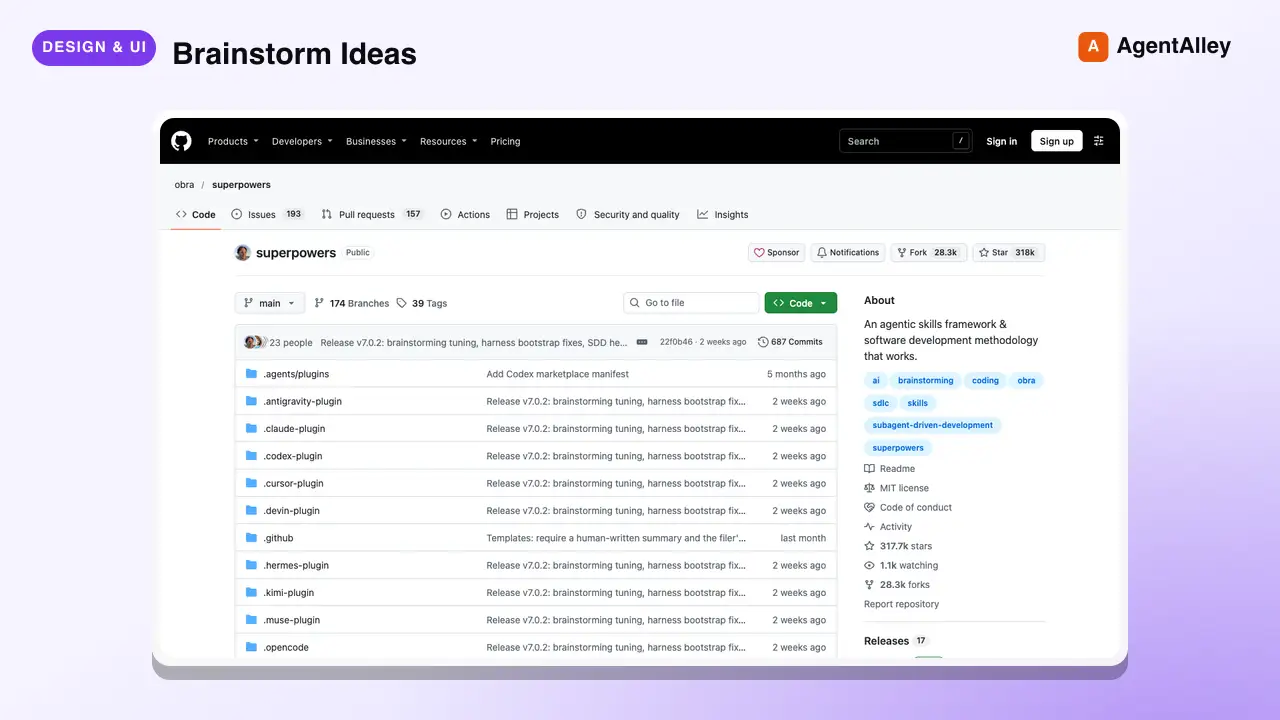 SkillBrainstorm Ideas
 obra/superpowers · by obraYou MUST use this before any creative work - creating features, building components, adding functionality, or modifying behavior. Explores user intent, requirements and design before implementation.★ 290k GitHub stars
 SkillBrutal Design Review
 wondelai/skills · by wondelaiDescribe your product or app and how customers use it; get back a blunt verdict with an exact list of what to cut and what to fix first.★ 2.2k GitHub stars
 SkillPM Design Critique
 mohitagw15856/pm-claude-skills · by mohitagw15856Runs a PM-perspective design critique focused on product outcomes and user goals, not aesthetics. Use when asked for a PM design critique, a product review of a Figma design, or feedback from a product perspective without needing to be a designer. Produces structured outcome-based feedback tied to user goals, business metrics, and requirement coverage.★ 1.4k GitHub stars
 SkillRequirements Design Reviewmohitagw15856/pm-claude-skills · by mohitagw15856Runs a structured PM design review against product requirements. Use when asked to review a Figma design, check a design against requirements, or assess whether a design meets the product spec. Produces a requirements coverage check, UX concerns, open questions, and an explicit approval status — approved, approved with conditions, or not approved.★ 1.4k GitHub stars
 SkillDesign Review & Feedback
 minhnv0807/ai-business-skills · by minhnv0807Dung khi da co THIET KE va can duyet truoc khi dang — cham diem 4 nhom brand consistency, hierarchy va do doc, yeu to chuyen doi, phu hop nen tang, moi nhom 10 diem, kem feedback theo dang van de - tai sao - cach sua va verdict duyet / sua nhe / lam lai. Kich hoat khi user nhac 'review design', 'duyet thiet ke', 'feedback thiet ke', 'cham diem design', 'anh nay ok chua', 'nhin sao sao ma khong biet sai cho nao', 'check brand', 'approve creative'. Dung ca khi user chi gui anh va hoi 'xem giup'. Khong dung cho — duyet CHU nhu content brief va ads copy thi dung skill 62-marketing-review; do xem trang co ra don khong thi dung skill 68-cro-audit-trang.★ 599 GitHub stars
 SkillBanner Design
 nextlevelbuilder/ui-ux-pro-max-skill · by claudekitTell us what your banner is for and what it should say, and get back polished, ready-to-post cover and ad images sized correctly for each platform.★ 130k GitHub stars
More from minhnv0807
 SkillMarketing Plan Builderminhnv0807/ai-business-skills · by minhnv0807Dung khi can ke hoach marketing tong the cho mot ky — muc tieu, phan khuc, kenh, ngan sach, timeline, KPI va ma tran rui ro. Co ca che do ban day du va che do ke hoach 1 trang cho chu doanh nghiep nho. Kich hoat khi user nhac 'lap ke hoach marketing', 'ke hoach MKT', 'marketing plan', 'chien luoc marketing nam', 'plan quy toi', 'ke hoach 1 trang'. Khong dung cho — tinh nguoc ngan sach tu doanh thu thi dung skill 10-tinh-kpi-nguoc; phan bo ngan sach chi tiet theo kenh thi dung skill 61-budget-planning; brief mot chien dich cu the thi dung skill 02-brief-chien-dich.★ 599 GitHub stars
 SkillOverall Marketing Strategyminhnv0807/ai-business-skills · by minhnv0807Use when the user needs an overall marketing plan for a period — objectives, segments, positioning, channel mix, content direction, budget, timeline, KPIs, and a risk matrix, adapted to US, EU, SEA, or LATAM. Trigger on 'marketing plan', 'marketing strategy for next year', 'go-to-market roadmap', 'plan for Q3', 'we have no marketing plan', 'where should we spend next quarter'. Also use when a founder only says the business needs to grow and has no idea which channel to start with. Not for — one specific campaign, see `02-campaign-brief-global`; working backward from a revenue goal to spend, see `10-reverse-kpi-global`; splitting a budget across channels and months, see `61-budget-planning-global`; taking a brand new product to market, see `59-go-to-market-global`.★ 599 GitHub stars
 SkillContent Calendar Plannerminhnv0807/ai-business-skills · by minhnv0807Use when the user needs a monthly or weekly content calendar — posting schedule per channel, funnel ratio, content pillars, repurposing matrix, and an owner per slot. Trigger on 'content calendar', 'posting schedule', 'what should we post this month', 'editorial calendar', 'social media plan', 'we post randomly with no plan'. Also use when the user only says the team keeps running out of things to post. Not for — the brief for one specific post, see `36-content-brief-global`; the caption text itself, see `37-social-caption-global`; deciding next period content from last period data, see `40-next-content-plan-global`; a paid campaign timeline, see `02-campaign-brief-global`.★ 599 GitHub stars
 SkillContent Posting Scheduleminhnv0807/ai-business-skills · by minhnv0807Dung khi can lich dang bai cho ca thang — chot content pillar va ti le, xep bai theo ngay va khung gio, ma tran tai su dung noi dung, va gan muc tieu cho tung tru cot. Kich hoat khi user nhac 'lich noi dung', 'content calendar', 'thang nay dang gi', 'len lich dang bai', 'ke hoach content thang', 'phan bo noi dung'. Khong dung cho — brief tung bai truoc khi viet thi dung skill 36-content-brief; viet caption thanh pham thi dung skill 37-caption-social; lap plan ky sau tu data thi dung skill 40-next-content-plan.★ 599 GitHub stars
 SkillCampaign Execution Briefminhnv0807/ai-business-skills · by minhnv0807Dung khi can brief mot chien dich cu the cho ca team thuc thi — muc tieu, thong diep, deliverable, timeline phan cong theo tuan, gate duyet va ma tran rui ro. Kich hoat khi user nhac 'brief chien dich', 'ke hoach campaign', 'len brief cho team', 'chien dich thang toi', 'phan cong campaign', 'timeline chien dich'. Khong dung cho — ke hoach marketing ca ky thi dung skill 00-ke-hoach-mkt; danh sach asset can thiet ke thi dung skill 41-campaign-asset-list; giao viec cho tung nguoi thi dung skill 64-team-brief.★ 599 GitHub stars
 SkillCampaign Brief Frameworkminhnv0807/ai-business-skills · by minhnv0807Use when a specific campaign needs a brief the whole team can execute from — context, objective, audience, core message, creative direction, channels, deliverables, week-by-week timeline, approval gates, and risks. Trigger on 'campaign brief', 'creative brief', 'launch brief', 'brief the team on this campaign', 'we are running a promo next month', 'what is the plan for this campaign'. Also use when the user describes a promotion out loud and asks for something the team can actually run. Not for — the whole period plan, see `00-marketing-plan-global`; the list of design files needed, see `41-campaign-asset-list-global`; assigning work to one person, see `64-team-brief-global`; a new product launch sequence, see `59-go-to-market-global`.★ 599 GitHub stars