Analytics Toolkit Configurator
Analytics toolkit
Complete analytics tools toolkit — Segment CDP, Amplitude, Mixpanel, PostHog, GA4, and HubSpot analytics configuration. Covers implementation patterns, destination routing, event governance, and cross-tool reporting.
---
name: analytics-toolkit
description: >-
  Complete analytics tools toolkit — Segment CDP, Amplitude, Mixpanel, PostHog,
  GA4, and HubSpot analytics configuration. Covers implementation patterns,
  destination routing, event governance, and cross-tool reporting. Use when
  setting up analytics infrastructure or optimizing an existing analytics stack.
  Triggers on: "analytics toolkit", "Segment setup", "Amplitude configuration",
  "Mixpanel vs PostHog", "GA4 for SaaS".
license: MIT
compatibility: Claude Code, Codex, GitHub Copilot, Cursor, Gemini CLI, OpenCode, Goose, Hermes, Windsurf, Zed
metadata:
  version: "1.1.0"
  author: LeadMagic
  category: tools
  tags: [analytics, segment, amplitude, mixpanel, posthog, ga4]
  related_skills: [tracking-plan, event-analytics, gtm-metrics, campaign-analytics, a-b-testing, gtm-spend-management, gtm-tool-cost-model]
  frameworks:
Overview
Analytics tools don't work out of the box — they work when configured with a tracking plan, proper implementation, and destinations that talk to each other. This skill covers setup and optimization across the analytics stack.
What you get
- Stack Recommendationrecommended combination (CDP + product analytics + web analytics) with 1-line rationale per tool choice relative to the user's company size, budget, and use case
- Implementation Priority Orderphased rollout sequence — CDP as single-collection layer first, product analytics second, web analytics third, data warehouse fourth — with reasoning for the ordering
- Event Taxonomy Sample5–10 prioritized events with property schema (event name, user ID, account properties, outcome it measures) aligned to the user's funnel
- Destination Routing Mapwhich events route to which tools (e.g., behavioral events → Amplitude for retention cohorts; conversion events → GA4 for ad attribution; all events → warehouse for BI)
- Implementation Checklist6-point verification covering server-side tracking for critical events, custom conversion configuration, single-source-of-truth designation, client-side redundancy, QA event audit, and stakeholder dashboard setup
Manual install (npx, ZIP)
npx skills add LeadMagic/gtm-skills --skill analytics-toolkit -g -a claude-codenpx degit LeadMagic/gtm-skills/skills/tools/analytics-toolkit#main ~/.claude/skills/analytics-toolkitConnects with Agent Alley MCP · agentalley.io/mcp
Files included
SKILL.md5.7 KB
Read SKILL.md here
Show the full text120 lines
Analytics Toolkit
Overview
Analytics tools don't work out of the box — they work when configured with a tracking plan, proper implementation, and destinations that talk to each other. This skill covers setup and optimization across the analytics stack.
Authoritative Foundations
- Segment — CDP with 400+ destinations
- Amplitude — Product analytics, behavioral cohorts, experiment
- PostHog — Open-source analytics, session recording, feature flags
- Mixpanel — Event-based product analytics
- GA4 — Google Analytics for web + app
When to Use
Trigger phrases: "analytics setup", "Segment configuration", "Amplitude implementation", "PostHog setup", "GA4 for B2B", "analytics stack comparison"
Stage-based recommendations: references/analytics-stack-by-stage.md.
Spend tracking: gtm-spend-management vendor register.
Tool Comparison
| Tool | Best For | Pricing | Key Feature |
|---|---|---|---|
| Segment | CDP — collect once, route everywhere | Free-$120/mo | 400+ destinations |
| Amplitude | Product analytics — retention, cohorts | Free-$100K/enterprise | Behavioral cohorts |
| PostHog | Open-source — session replay, feature flags | Free self-hosted/Cloud $ | All-in-one |
| Mixpanel | Event-stream analytics, simpler UI | Free-$20K/enterprise | Event explorer |
| GA4 | Web analytics + ad attribution | Free | Google Ads integration |
Implementation Pattern
// Segment → Amplitude + GA4 + Data Warehouse
analytics.track('Feature Used', { feature_name: 'Reports' });
// → Amplitude: behavioral cohort
// → GA4: custom event + conversion tracking
// → Data Warehouse: raw event for BI analysis
Implementation Checklist
- CDP implemented (Segment or Rudderstack) — single source of truth
- Server-side tracking for critical events (signup, payment)
- Client-side tracking for behavioral events
- GA4 configured with custom events + conversions
- Product analytics tool configured with retention + funnel reports
- Data warehouse receiving all events for BI
Common Pitfalls
- Direct-to-tool without CDP. Send events directly to Amplitude + GA4 + Mixpanel. 3x the implementation. Inconsistent data. Fix: CDP as single source.
- No server-side tracking. Ad blockers kill client-side. Critical events lost. Fix: Server-side Segment for revenue events.
- Multiple 'source of truth' tools. Marketing trusts GA4. Product trusts Amplitude. Numbers disagree. Fix: Data warehouse as single source of truth.
Output Format
The agent delivers an analytics stack configuration plan matched to the user's stage, team, and tool question:
- Stack Recommendation: recommended combination (CDP + product analytics + web analytics) with 1-line rationale per tool choice relative to the user's company size, budget, and use case
- Implementation Priority Order: phased rollout sequence — CDP as single-collection layer first, product analytics second, web analytics third, data warehouse fourth — with reasoning for the ordering
- Event Taxonomy Sample: 5–10 prioritized events with property schema (event name, user ID, account properties, outcome it measures) aligned to the user's funnel
- Destination Routing Map: which events route to which tools (e.g., behavioral events → Amplitude for retention cohorts; conversion events → GA4 for ad attribution; all events → warehouse for BI)
- Implementation Checklist: 6-point verification covering server-side tracking for critical events, custom conversion configuration, single-source-of-truth designation, client-side redundancy, QA event audit, and stakeholder dashboard setup
Quality Check
Before delivering, verify:
- All required sections complete
- Output matches the user's stated need
- No vague or unsupported claims
- Frameworks cited where applicable
Execution Artifacts
references/framework-notes.md— named frameworks, citation anchors, and operating assumptionstemplates/output-template.md— copy-paste deliverable structure for the userscripts/check-output.py— local checklist validator for required sections This skill includes lightweight artifacts the agent can load on demand:references/analytics-stack-by-stage.md— CDP + product + web by ARR Use the artifacts when the user asks for an implementation-ready deliverable, a repeatable workflow, or a quality check rather than generic advice.
Related Skills
tracking-plan— Complete analytics architectureevent-analytics— Event taxonomy and CDP designgtm-metrics— SaaS metrics and benchmarks
| 1 | |
| 2 | name analytics-toolkit |
| 3 | description >- |
| 4 | Complete analytics tools toolkit — Segment CDP, Amplitude, Mixpanel, PostHog, |
| 5 | GA4, and HubSpot analytics configuration. Covers implementation patterns, |
| 6 | destination routing, event governance, and cross-tool reporting. Use when |
| 7 | setting up analytics infrastructure or optimizing an existing analytics stack. |
| 8 | Triggers on: "analytics toolkit", "Segment setup", "Amplitude configuration", |
| 9 | "Mixpanel vs PostHog", "GA4 for SaaS". |
| 10 | license MIT |
| 11 | compatibility Claude Code, Codex, GitHub Copilot, Cursor, Gemini CLI, OpenCode, Goose, Hermes, Windsurf, Zed |
| 12 | metadata |
| 13 | version "1.1.0" |
| 14 | author LeadMagic |
| 15 | category tools |
| 16 | tags [analytics, segment, amplitude, mixpanel, posthog, ga4] |
| 17 | related_skills [tracking-plan, event-analytics, gtm-metrics, campaign-analytics, a-b-testing, gtm-spend-management, gtm-tool-cost-model] |
| 18 | frameworks |
| 19 | - "Segment — CDP with 400+ destinations" |
| 20 | - "Amplitude — Product analytics, behavioral cohorts, experiment" |
| 21 | - "PostHog — Open-source analytics, session recording, feature flags" |
| 22 | - "Mixpanel — Event-based product analytics" |
| 23 | - "GA4 — Google Analytics for web + app" |
| 24 | |
| 25 | |
| 26 | # Analytics Toolkit |
| 27 | |
| 28 | ## Overview |
| 29 | |
| 30 | Analytics tools don't work out of the box — they work when configured with a |
| 31 | tracking plan, proper implementation, and destinations that talk to each other. |
| 32 | This skill covers setup and optimization across the analytics stack. |
| 33 | |
| 34 | ## Authoritative Foundations |
| 35 | |
| 36 | **Segment** — CDP with 400+ destinations |
| 37 | **Amplitude** — Product analytics, behavioral cohorts, experiment |
| 38 | **PostHog** — Open-source analytics, session recording, feature flags |
| 39 | **Mixpanel** — Event-based product analytics |
| 40 | **GA4** — Google Analytics for web + app |
| 41 | |
| 42 | ## When to Use |
| 43 | |
| 44 | Trigger phrases: "analytics setup", "Segment configuration", "Amplitude |
| 45 | implementation", "PostHog setup", "GA4 for B2B", "analytics stack comparison" |
| 46 | |
| 47 | Stage-based recommendations: `references/analytics-stack-by-stage.md`. |
| 48 | Spend tracking: `gtm-spend-management` vendor register. |
| 49 | |
| 50 | ## Tool Comparison |
| 51 | |
| 52 | | Tool | Best For | Pricing | Key Feature | |
| 53 | |---|---|---|---| |
| 54 | | **Segment** | CDP — collect once, route everywhere | Free-$120/mo | 400+ destinations | |
| 55 | | **Amplitude** | Product analytics — retention, cohorts | Free-$100K/enterprise | Behavioral cohorts | |
| 56 | | **PostHog** | Open-source — session replay, feature flags | Free self-hosted/Cloud $ | All-in-one | |
| 57 | | **Mixpanel** | Event-stream analytics, simpler UI | Free-$20K/enterprise | Event explorer | |
| 58 | | **GA4** | Web analytics + ad attribution | Free | Google Ads integration | |
| 59 | |
| 60 | ## Implementation Pattern |
| 61 | |
| 62 | |
| 63 | // Segment → Amplitude + GA4 + Data Warehouse |
| 64 | analytics.track('Feature Used', { feature_name: 'Reports' }); |
| 65 | // → Amplitude: behavioral cohort |
| 66 | // → GA4: custom event + conversion tracking |
| 67 | // → Data Warehouse: raw event for BI analysis |
| 68 | |
| 69 | |
| 70 | ## Implementation Checklist |
| 71 | |
| 72 | [ ] CDP implemented (Segment or Rudderstack) — single source of truth |
| 73 | [ ] Server-side tracking for critical events (signup, payment) |
| 74 | [ ] Client-side tracking for behavioral events |
| 75 | [ ] GA4 configured with custom events + conversions |
| 76 | [ ] Product analytics tool configured with retention + funnel reports |
| 77 | [ ] Data warehouse receiving all events for BI |
| 78 | |
| 79 | ## Common Pitfalls |
| 80 | |
| 81 | **Direct-to-tool without CDP.** Send events directly to Amplitude + GA4 + |
| 82 | Mixpanel. 3x the implementation. Inconsistent data. Fix: CDP as single source. |
| 83 | **No server-side tracking.** Ad blockers kill client-side. Critical events |
| 84 | lost. Fix: Server-side Segment for revenue events. |
| 85 | **Multiple 'source of truth' tools.** Marketing trusts GA4. Product trusts |
| 86 | Amplitude. Numbers disagree. Fix: Data warehouse as single source of truth. |
| 87 | |
| 88 | |
| 89 | ## Output Format |
| 90 | |
| 91 | The agent delivers an analytics stack configuration plan matched to the user's stage, team, and tool question: |
| 92 | |
| 93 | **Stack Recommendation:** recommended combination (CDP + product analytics + web analytics) with 1-line rationale per tool choice relative to the user's company size, budget, and use case |
| 94 | **Implementation Priority Order:** phased rollout sequence — CDP as single-collection layer first, product analytics second, web analytics third, data warehouse fourth — with reasoning for the ordering |
| 95 | **Event Taxonomy Sample:** 5–10 prioritized events with property schema (event name, user ID, account properties, outcome it measures) aligned to the user's funnel |
| 96 | **Destination Routing Map:** which events route to which tools (e.g., behavioral events → Amplitude for retention cohorts; conversion events → GA4 for ad attribution; all events → warehouse for BI) |
| 97 | **Implementation Checklist:** 6-point verification covering server-side tracking for critical events, custom conversion configuration, single-source-of-truth designation, client-side redundancy, QA event audit, and stakeholder dashboard setup |
| 98 | |
| 99 | ## Quality Check |
| 100 | |
| 101 | Before delivering, verify: |
| 102 | [ ] All required sections complete |
| 103 | [ ] Output matches the user's stated need |
| 104 | [ ] No vague or unsupported claims |
| 105 | [ ] Frameworks cited where applicable |
| 106 | |
| 107 | ## Execution Artifacts |
| 108 | |
| 109 | `references/framework-notes.md` — named frameworks, citation anchors, and operating assumptions |
| 110 | `templates/output-template.md` — copy-paste deliverable structure for the user |
| 111 | `scripts/check-output.py` — local checklist validator for required sections |
| 112 | This skill includes lightweight artifacts the agent can load on demand: |
| 113 | `references/analytics-stack-by-stage.md` — CDP + product + web by ARR |
| 114 | Use the artifacts when the user asks for an implementation-ready deliverable, a repeatable workflow, or a quality check rather than generic advice. |
| 115 | |
| 116 | ## Related Skills |
| 117 | |
| 118 | `tracking-plan` — Complete analytics architecture |
| 119 | `event-analytics` — Event taxonomy and CDP design |
| 120 | `gtm-metrics` — SaaS metrics and benchmarks |
Details
- License
- MIT
- Stars on the repo
- ★ 62
- Checked
- Source
- LeadMagic/gtm-skills ↗
- Creator
- LeadMagic · 129 listings
Similar skills
See all →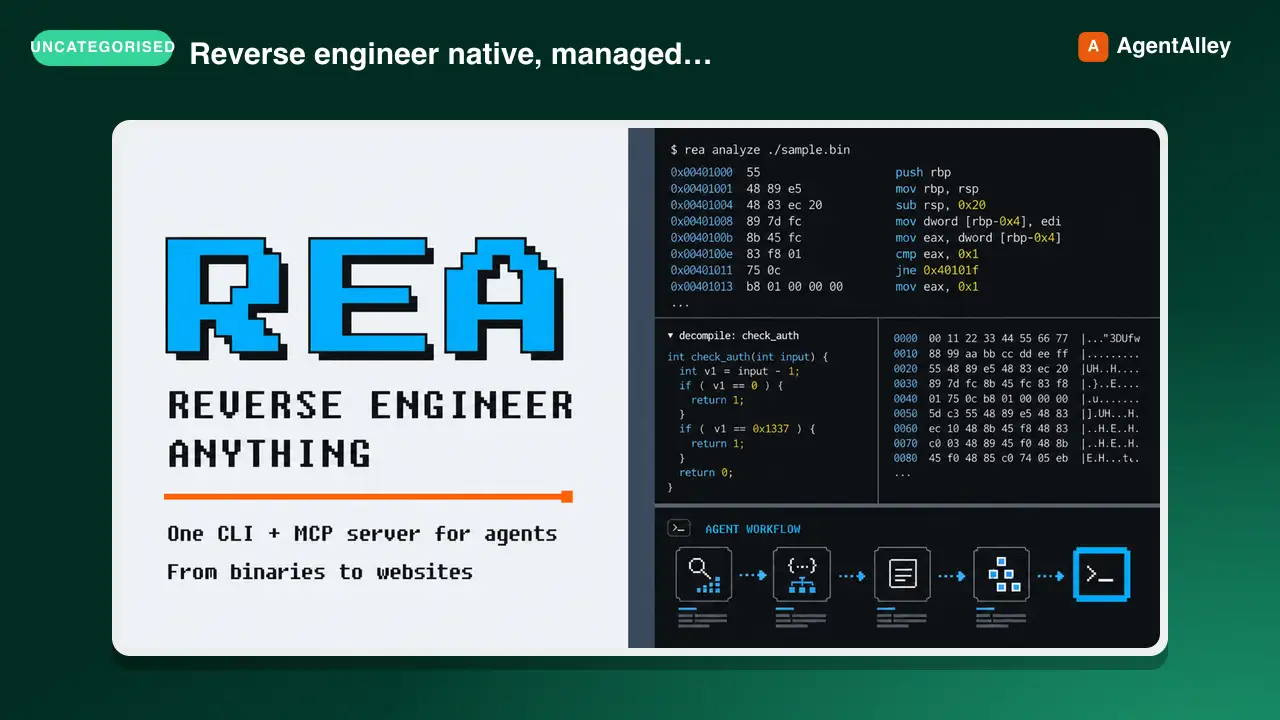 SkillCross-Platform Reverse Engineer
 morluto/rea · by morlutoReverse engineer native, managed, Electron/JavaScript, packaged, firmware, and browser targets with REA. Use shipped-artifact or requested runtime evidence to explain features, compare versions, decompile code, or guide a reconstruction. Skip REA for ordinary source-repository architecture analysis.★ 316k GitHub stars
 SkillBrainstorm Ideas
 obra/superpowers · by obraYou MUST use this before any creative work - creating features, building components, adding functionality, or modifying behavior. Explores user intent, requirements and design before implementation.★ 290k GitHub stars
 SkillCode Review Feedback Analyzerobra/superpowers · by obraUse when receiving code review feedback, before implementing suggestions, especially if feedback seems unclear or technically questionable - requires technical rigor and verification, not performative agreement or blind implementation★ 290k GitHub stars
 SkillBug Diagnosis Framework
 mattpocock/skills · by mattpocockDiagnosis loop for hard bugs and performance regressions. Use when the user says "diagnose"/"debug this", or reports something broken/throwing/failing/slow.★ 267k GitHub stars
 SkillImplement Specmattpocock/skills · by mattpocockImplement the result of /to-spec and /to-tickets in code.★ 267k GitHub stars
 SkillPR Description Writermattpocock/skills · by mattpocockUse when writing a PR body.★ 267k GitHub stars
More from LeadMagic
 SkillFirst-Party Analytics Setup
 LeadMagic/gtm-skills · by LeadMagicSet up first-party tracking and analytics — website pixels, conversion tracking, UTM architecture, cookie consent, server-side tagging vs client-side, 1P vs 3P data strategy, and identity resolution. Use when setting up tracking, implementing pixels, building attribution, or preparing for privacy-first measurement. Triggers on: "pixel", "tracking", "conversion tracking", "first-party data", server-side tagging", "UTM", "cookie consent", "1P vs 3P", "identity resolution", or any tracking implementation request.★ 62 GitHub stars
 SkillStrategic Account MarketingLeadMagic/gtm-skills · by LeadMagicRuns strategic 1-to-1 ABM for 5-15 high-value accounts: account plans, custom microsites, executive engagement, direct mail, and board-level connections. Use when a named enterprise account justifies bespoke content and executive time, or when the user needs a strategic account plan. Triggers on: "1-to-1 ABM", "strategic ABM", "custom ABM", "key account marketing", "named account".★ 62 GitHub stars
 SkillCluster Account MarketingLeadMagic/gtm-skills · by LeadMagicRuns ABM at scale (1-to-few) for 15-50 clustered accounts: industry or persona clusters, semi-custom campaigns, and cluster-level content. Use when named-account ABM needs to reach more accounts without bespoke work per account. Triggers on: "1-to-few ABM", "ABM scale", "cluster ABM", "industry ABM".★ 62 GitHub stars
 SkillProgrammatic Account TargetingLeadMagic/gtm-skills · by LeadMagicRuns programmatic 1-to-many ABM for 50-200+ accounts: automated personalization, scaled outbound, intent-based targeting, and lookalike expansion. Use when ABM coverage must grow without adding headcount or when the user wants automated account-based outreach. Triggers on: "1-to-many ABM", programmatic ABM", "scaled ABM", "automated ABM".★ 62 GitHub stars
 SkillAccount Strategy DesignerLeadMagic/gtm-skills · by LeadMagicDesigns an account-based marketing program: tier selection, account scoring, channel orchestration, BDR alignment (account-based sales development), and a measurement framework. Use when the user is launching or redesigning ABM, choosing between 1-to-1, 1-to-few, and 1-to-many, or building a target account program. Triggers on: "ABM strategy", "account based marketing", "ABM playbook", "design ABM", "target accounts", "ABSD", "account based sales development", "Lars Nilsson".★ 62 GitHub stars
 SkillTarget Account SelectorLeadMagic/gtm-skills · by LeadMagicBuilds and tiers a target account list: fit and intent scoring models, tier assignment, and TAM segmentation. Use when the user needs to decide which accounts to target, score or tier an account list, or prioritize a TAM for ABM or outbound. Triggers on: "account selection", "target account list", "tier accounts", "prioritize accounts", "TAM segmentation".★ 62 GitHub stars