Raw Footage Cleanup
clean-cut — the step-1 cut pipeline
Step 1 of the AI Video Editor pipeline — turn raw talking-head footage into a clean master cut. Use when the user wants to "clean cut", "cut the raw footage", "remove filler / dead air / bad takes", "tighten the pacing", produce…
---
name: clean-cut
description: Step 1 of the AI Video Editor pipeline — turn raw talking-head footage into a clean master cut. Use when the user wants to "clean cut", "cut the raw footage", "remove filler / dead air / bad takes", "tighten the pacing", produce cuts.json, run the cut editor, or render a cleaned preview/master for a video-N project in this repo. Covers audio extraction, AssemblyAI transcription, authoring cuts.json (keeps/cuts/fluff categorized), the cut policy (content-aggressive, pause-natural ~0.5s), QA + review docs, the local cut-editor UI, tight/natural previews, the final 4K60 render, and producing edited-transcript.json as the handoff to /make-tsx. Not for building TSX overlays (that is /make-tsx) or the raw TSX authoring rules (that is vidtsx-2d-generator).
---

# clean-cut — the step-1 cut pipeline

Turn a project's raw clips (`videos/video-N/DJI_*.MP4`) into a **clean master** + **`edited-transcript.json`** (the word-level timing spine every later step anchors to). The single source of truth is **`videos/video-N/work/analysis/cuts.json`** — shared by Claude and the editor UI. Every tool lives in `tools/` and takes the project dir as its first arg.

**You (Claude) author the cuts by reading the transcript.** No separate LLM call. The tools handle audio, encoding, QA, and the editor; the judgment — what is a retake, a false start, filler, or fluff — is yours.

## Pipeline (run in order)

Let `P` = the project (e.g. `video-1`). Clip **id** = a short handle (`0233`); every artifact for a clip is named by that id (`0233.wav`, `0233.json`). The raw MP4 path is stored per-clip in cuts.json as `file`.

1. **Extract 16 kHz mono WAV per clip** → `P/work/audio/<id>.wav` (used for transcription + the RMS noise-floor / snap-to-audio tails). Not scripted — run ffmpeg per clip:
   `ffmpeg -i videos/video-1/DJI_...0233_D.MP4 -vn -ac 1 -ar 16000 videos/video-1/work/audio/0233.wav`
2. **Draft this video's keyterms → `P/work/keyterms.txt`** (do this before transcribing). Keyterms bias the recognizer toward this video's proper nouns / product / tech names so they aren't mangled (e.g. "Seedream" not "sea dream", "Cloudflare" not "cloud flare"). Accuracy here is load-bearing: the transcript text drives cut decisions AND `/make-tsx` greps it for phrases to time beats — a garbled term breaks both. From the video's topic/title, list the ~10–40 likely brand names, tools, tech, and jargon, one per line (blank lines and `#` comments ignored). **This is per-video — never hardcode terms in `transcribe.py`.** If you skip the file, transcription still runs (empty fallback), just with more errors on specialty words. The shape is one term per line:
Overview
Turn a project's raw clips (videos/video-N/DJI_*.MP4) into a clean master + edited-transcript.json (the word-level timing spine every later step anchors to). The single source of truth is videos/video-N/work/analysis/cuts.json — shared by Claude and the editor UI. Every tool lives in tools/ and takes the project dir as its first arg.
Manual install (npx, ZIP)
npx skills add hassancs91/claude-youtube-editor --skill clean-cut -g -a claude-codenpx degit hassancs91/claude-youtube-editor/.claude/skills/clean-cut#main ~/.claude/skills/clean-cutConnects with Agent Alley MCP · agentalley.io/mcp
Files included
SKILL.md17.0 KB
Read SKILL.md here
Show the full text150 lines
clean-cut — the step-1 cut pipeline
Turn a project's raw clips (videos/video-N/DJI_*.MP4) into a clean master + edited-transcript.json (the word-level timing spine every later step anchors to). The single source of truth is videos/video-N/work/analysis/cuts.json — shared by Claude and the editor UI. Every tool lives in tools/ and takes the project dir as its first arg.
You (Claude) author the cuts by reading the transcript. No separate LLM call. The tools handle audio, encoding, QA, and the editor; the judgment — what is a retake, a false start, filler, or fluff — is yours.
Pipeline (run in order)
Let P = the project (e.g. video-1). Clip id = a short handle (0233); every artifact for a clip is named by that id (0233.wav, 0233.json). The raw MP4 path is stored per-clip in cuts.json as file.
Extract 16 kHz mono WAV per clip →
P/work/audio/<id>.wav(used for transcription + the RMS noise-floor / snap-to-audio tails). Not scripted — run ffmpeg per clip:ffmpeg -i videos/video-1/DJI_...0233_D.MP4 -vn -ac 1 -ar 16000 videos/video-1/work/audio/0233.wavDraft this video's keyterms →
P/work/keyterms.txt(do this before transcribing). Keyterms bias the recognizer toward this video's proper nouns / product / tech names so they aren't mangled (e.g. "Seedream" not "sea dream", "Cloudflare" not "cloud flare"). Accuracy here is load-bearing: the transcript text drives cut decisions AND/make-tsxgreps it for phrases to time beats — a garbled term breaks both. From the video's topic/title, list the ~10–40 likely brand names, tools, tech, and jargon, one per line (blank lines and#comments ignored). This is per-video — never hardcode terms intranscribe.py. If you skip the file, transcription still runs (empty fallback), just with more errors on specialty words. The shape is one term per line:# tools + brands named in this video Claude Code Remotion AssemblyAI ElevenLabs CloudflareTranscribe (needs
ASSEMBLYAI_API_KEYin.env; verbatim, keeps fillers; auto-loadswork/keyterms.txt):python tools/transcribe.py P→P/work/transcripts/<id>.json.--clips 0233for one,--forceto redo. It prints how many keyterms it loaded — a "none" line means you haven't drafted them.Readable take view for analysis:
python tools/format_transcript.py P→P/work/analysis/takes-<id>.txt(segments on >0.8s gaps, fillers tagged inline with timestamps).Author
cuts.json(see schema below) by readingtakes-*.txt: mark every span as a keep or a categorized cut, add fluff suggestions and judgment-call flags.QA + review docs:
python tools/analyze_cut.py P [--style tight]→qa-report.md(internal dead-air, clipped-tail risks, tiny fragments, fluff, hard entries at cut joins, ghost speech = untranscribed energy riding inside a keep, low-confidence kept tokens). Ghost/hard-entry checks exist because a transcript diff CANNOT see a mistimed token (clipped word onset) or an untranscribed false start ("and it—") that survives the cut — only energy-vs-token cross-checks catch them (a careful listen caught both before these checks existed).python tools/make_review.py P→review.md(per-clip keep/cut table + estimated length per style).Editor proxy (once):
python tools/make_proxy.py P→P/work/editor/{proxy.mp4, waveform.png, manifest.json}(720p concat of raw clips + per-clip offsets).Previews (render BOTH, user picks):
python tools/render_cuts.py P --style tight --mode previewand--style natural→P/output/preview-<style>.mp4(720p h264_nvenc). 8.5. Machine verification of the render (MANDATORY after every preview render, before showing the user). Extract the preview's WAV →transcribe.py P --clips preview --force→python tools/verify_cut.py P→verify-report.md. A second ASR pass over the RENDER, diffed against the intended kept tokens: EXTRA words = untranscribed ghosts that rode along (false starts glued to word tails — invisible to the raw transcript, and energy heuristics can't tell them from word releases); MISSING words = clipped/dropped; plus interior-pause anomalies and low-confidence rendered tokens. Born in testing: a mistimed ASR token clipped a word onset ('slash dot env' → '...env') and a ghost 'and it—' survived to the render; a careful listen caught both, now these tools do. Treat every finding as "listen here": explain each one or fix it — don't declare the cut good while the report has unexplained lines.USER AUDIT — this is a hard gate, same as the plan step. Open the editor:
python tools/editor/server.py P→ http://localhost:8765. User drags keep/cut edges, adds cuts (I/O + C), compares raw vs edited playback; Save rewrites cuts.json (backup towork/analysis/backups/, appended tochanges.log); Render button re-runs a preview. Iterate until approved.Final master:
python tools/render_cuts.py P --style <chosen> --mode final→P/output/master-<style>.mp4(4K60 10-bit hevc_nvenc). Two MANDATORY post-render steps:
- A/V duration gate:
ffprobe -show_entries stream=durationon v:0 vs a:0 — they MUST be equal. verify_cut's A/V budget GROWS along the timeline (±2s by mid-video) and masks a real accumulating drift; the equal-duration check is the definitive one. (See the drift note under Notes.) - Playable/handoff transcode: the 10-bit HEVC master won't play in most players or the IDE preview, and the HEVC final stamps frames ~0.1% fast on 59.94fps footage. Produce an 8-bit H.264 that fixes both by re-timing to true CFR:
ffmpeg -r <src_fps> -i master-<style>.mp4 -c:v libx264 -crf 19 -pix_fmt yuv420p -c:a aac master-<style>-h264.mp4— the source fps BEFORE-ire-stamps every frame (no frame loss) so v:0==a:0. This is the file the user reviews AND the comp-native source downstream steps use.
- Handoff spine —
edited-transcript.json: word times in the FINAL master timeline. Simplest robust path (what video-1 used): extract the master's WAV andtranscribe.pyit, then normalize to{words:[{text,start,end}...]}in ms. (A cuts.json time-remapper is the planned alternative.) This file is what/make-tsxreads to sync visuals to speech.
Do steps 1–4 and 7 once; loop 5→6→8→9 until the cut is approved; then 10–11.
cuts.json schema (what you author)
{
  "project": "video-1",
  "clip_order": ["0232", "0233", "0234", "0235"],   // concat order (assume filename order)
  "clips": [{
    "id": "0233",
    "file": "DJI_20260707121304_0233_D.MP4",         // raw MP4, relative to the project dir
    "duration": 245.3,
    "keeps": [ { "s": 7.32, "e": 13.13, "text": "...", "gap": {"d":0.89,"t":"silence"} } ],
    "cuts":  [ { "s": 2.18, "e": 5.04, "cat": "retake", "text": "...", "note": "why" } ],
    "fluff_suggestions": [ { "s": 40.1, "e": 44.0, "text": "...", "crit": "restated-idea",
                            "note": "...", "status": "suggested" } ]   // or "auto_applied"
  }],
  "styles": { "tight": {…}, "natural": {…} },         // timing knobs, below
  "flags":  [ { "id": 1, "clip": "0233", "at": "00:30", "issue": "...", "default": "keep both" } ]
}
cat∈retake | false_start | filler | long_pause | dead_air. Times are raw seconds within that clip.- Keeps are never deleted. A fluff span with
status:"auto_applied"just hides the keeps it covers (undo = flip back to"suggested"). Reserveauto_appliedfor high-confidence fluff; leave the rest"suggested"(suggest-only — the renderer never drops suggested fluff). flags= judgment calls surfaced to the user with adefault.
Cut policy (how to decide)
Calibrated against a hand-made reference cut (the creator's own CapCut edit). The target pacing = content-aggressive + pause-natural. The big retention lever is cutting fluff and redundancy, NOT crushing silence — keep ~0.45–0.5s of natural breathing between runs. So:
- Look for spoken editing instructions first — they outrank your judgment. Creators talk to the
editor on camera. Grep every clip's transcript for
other take/another take/repeat this section/remove this/not neededbefore you decide anything. On video-1 these resolved most of the hard calls:"Other take."means the run that FOLLOWS supersedes the ones before;"I will repeat this section"killed an entire first pass at a beat;"There is no app or UI"×3 followed by"Remove this sentence. Not needed."meant all four go. Slates hide mid-segment — the take view splits on 0.8s gaps, so a slate spoken without a pause around it sits inside a segment ("...open source pro— another take. Okay, since this project is...") and needs a word-level split. After authoring, assert no kept text still contains a slate phrase. - Always cut: retakes/false starts (keep the winning take, cut the rest — note which supersedes which), stumbles, dead air, and clear fillers.
- Doubled phrases: cut the FIRST one. When a phrase is delivered twice back to back —
"And what and what makes it so powerful?","it holds— it holds your decisions","doesn't reflect, doesn't contradict, doesn't contradict with chapter 1"— the creator wants the earlier one gone, including when it sits mid-sentence inside an otherwise good take. On video-1 the user gave 17 audit notes and every single one was "cut the first". Do this pass yourself before showing a preview: n-gram-scan the kept words for adjacent repeated runs and for tokens ending in an em-dash, then cut the first run at the quiet point between them. The only exception is scripted comedy (video-1's"ready to get shocked— uh, sorry, I mean..."), so check the script before cutting a stumble that the script also contains. - Suggest, don't auto-remove (usually): fluff — preamble that delays the payoff, evaluative asides, restated ideas. Categorize each (
crit) and let the user decide in review. - Pauses: compress but don't flatten. The two styles both target natural breathing;
tightlands mid-flow pauses punchy,naturalgives more room. Section ends / spots after a removed retake get a soft landing (more tail) so they breathe. - Default to rendering both
tightandnaturaland letting the user pick.
This is the ground truth for the channel's pacing — content-aggressive on fluff, natural on pauses.
Style params (in styles, general knobs — no per-video constants)
internal_gap (split keeps into speech-run atoms at pauses ≥ this) · min_tail/max_tail (snap-to-audio tail range after a word) · head (lead-in before an atom) · margin (dB over noise floor that counts as "decayed") · soft_gap (a following gap ≥ this = section end → soft landing) · soft_max_tail/soft_margin (the softer landing).
Reference values that matched the reference cut: tight {internal_gap:0.4, min_tail:0.14, max_tail:0.4, head:0.11, soft_gap:1.2, soft_max_tail:0.6, soft_margin:3.0}; natural bumps min_tail:0.26, max_tail:0.45, head:0.19.
Tune head to the SPEAKER, don't take the reference on faith. head must exceed the speaker's
onset ramp — the lag between a word's first audible energy and the ASR token start — or every cut-in
clips a word attack. Measure it: for each atom start at a real cut join, walk the RMS envelope back
to the last point at/below floor+6 dB. On video-1 the ramp clustered at 0.18s, so tight's 0.11
clipped onsets (14 hard entries) while 0.15/0.17 gave 0. Sweep head against
analyze_cut's hard-entry count and pick the smallest value that reaches zero — going further costs
real runtime (0.19 → 0.42 bought 3 fewer entries for +1:39 of lead-in).
soft_max_tail is a ceiling, not a fixed value — snap_tail returns early on clean endings, so
raising it only affects words that genuinely need a long release. Raise it if the video's last word
clips: video-1's "...upcoming videos." needed 0.90s to decay and 0.60 cut it off.
The transcript lies about TIME — cross-check every suspicious span against the envelope
Word text is usually right; word times are not, and the cut engine trusts them completely
(split_atoms takes each atom's bounds from word times, so no amount of keep-edge editing in
cuts.json can fix a mistimed token — you must correct the token). Four failure modes, all seen on
video-1, all found with an RMS walk over work/audio/<id>.wav:
| Symptom | What it does to the cut | How it shows up |
|---|---|---|
| Late start (token begins after the word) | cut-in slices into the word | analyze_cut hard entry |
| Inflated span (word timestamped across seconds of silence) | dead air kept inside a keep | verify_cut big interior pause |
| Merged repeat (two utterances in one token) | a doubling you cannot see in the transcript | user says "it's twice", transcript says once |
| Phantom (token with no audio at all) | you cut a boundary into real speech | hard entry after a clamp |
Worst cases measured: "post" timestamped 66.60→72.40 hiding 5.24s of dead air mid-sentence;
"Connect" 0.44s late; a doubled "here's" merged into one 1.03s token; a "this." with no audio.
Record every correction in work/analysis/token-time-fixes.json — transcribe.py --force wipes them.
Detector worth running before every preview: flag kept words whose duration exceeds ~1.0s, or whose leading/trailing silence exceeds 0.35s. Discriminate real from false by asking whether the surviving hot span could plausibly hold the word — 4 syllables in 0.17s means the detector tripped on a soft onset, not a real inflation.
Notes
- The cut engine (
tools/cutlib.py) does word-aware segmentation, per-clip 10th-percentile noise floor, and snap-to-audio tails so word releases aren't clipped — you don't hand-tune tail padding, you tune the style knobs. plan_cliptakes the clip'scutsand will not let a segment extend into one. Pass them.snap_tailwalks forward until the audio decays, so when the material after an atom is cut SPEECH rather than silence it walks straight through and the cut words ride into the render (measured: 0.70s of a cut"for quick demo—"survived). This only bites on intra-phrase splices — the kind the user asks for during audit — because between original takes there is always silence. Corollary: with the clamp active, a cut boundary placed inside speech now hard-clips instead of silently over-including, so place cut ends in the quiet between words and re-check hard entries after every audit round.render_cuts.pyre-encodes (stream copy is only keyframe-accurate); previews are 720p, final is 4K60 10-bit. It cuts segments VIDEO-ONLY and builds the audio separately as one sample-exact stream matched to each segment's actual frame count (lesson learned: per-segment AAC +concat -c copyaccumulates ~15-20ms of lip-sync drift PER CUT ≈ 1s over 34 segments).verify_cut.py --style <s>checks A/V drift automatically — run it on every render.- A/V drift, part 2 — the audio fix was not enough. Even with sample-exact audio, the VIDEO side drifts on 59.94fps footage: an mp4 segment's container tacks ~one extra frame (~16ms) of padding onto its last sample when
-tcuts mid-frame, andconcat -c copyof mp4s ACCUMULATES it (~0.8s over ~98 cuts) while the audio has none. FIXED in render_cuts.py: the video segments are concatenated through an MPEG-TS intermediate (no per-file trailing gap → frame-exact, non-accumulating). A residual remains — the HEVC final stamps PTS ~0.1% fast (~0.3s short;r_frame_ratestays right but the PTS span runs short), an hevc/TS quirk a stream copy can't fix — corrected at delivery by the re-timing H.264 transcode in step 10. The trap: verify_cut's growing A/V budget hides both; ALWAYS gate onv:0 duration == a:0 duration. - Footage handed to Remotion (
media/projects/footage/ch-N.mp4) must be transcoded comp-native (1080×1920@30, 8-bit H.264,-c:a copy): 10-bit 4K60 HEVC starves OffthreadVideo's decoder during render → duplicated frames → visible stutter + perceived desync. - Always verify before handing off: skim
review.md/qa-report.md, and watch (or at least scrub) a preview — don't declare a cut good from the numbers alone.
Handoff: an approved master + edited-transcript.json → /make-tsx (build the visual beats) and the rest of steps 2–5.
| 1 | |
| 2 | name clean-cut |
| 3 | description Step 1 of the AI Video Editor pipeline — turn raw talking-head footage into a clean master cut. Use when the user wants to "clean cut", "cut the raw footage", "remove filler / dead air / bad takes", "tighten the pacing", produce cuts.json, run the cut editor, or render a cleaned preview/master for a video-N project in this repo. Covers audio extraction, AssemblyAI transcription, authoring cuts.json (keeps/cuts/fluff categorized), the cut policy (content-aggressive, pause-natural ~0.5s), QA + review docs, the local cut-editor UI, tight/natural previews, the final 4K60 render, and producing edited-transcript.json as the handoff to /make-tsx. Not for building TSX overlays (that is /make-tsx) or the raw TSX authoring rules (that is vidtsx-2d-generator). |
| 4 | |
| 5 | |
| 6 | # clean-cut — the step-1 cut pipeline |
| 7 | |
| 8 | Turn a project's raw clips (`videos/video-N/DJI_*.MP4`) into a **clean master** + **`edited-transcript.json`** (the word-level timing spine every later step anchors to). The single source of truth is **`videos/video-N/work/analysis/cuts.json`** — shared by Claude and the editor UI. Every tool lives in `tools/` and takes the project dir as its first arg. |
| 9 | |
| 10 | **You (Claude) author the cuts by reading the transcript.** No separate LLM call. The tools handle audio, encoding, QA, and the editor; the judgment — what is a retake, a false start, filler, or fluff — is yours. |
| 11 | |
| 12 | ## Pipeline (run in order) |
| 13 | |
| 14 | Let `P` = the project (e.g. `video-1`). Clip **id** = a short handle (`0233`); every artifact for a clip is named by that id (`0233.wav`, `0233.json`). The raw MP4 path is stored per-clip in cuts.json as `file`. |
| 15 | |
| 16 | **Extract 16 kHz mono WAV per clip** → `P/work/audio/<id>.wav` (used for transcription + the RMS noise-floor / snap-to-audio tails). Not scripted — run ffmpeg per clip: |
| 17 | `ffmpeg -i videos/video-1/DJI_...0233_D.MP4 -vn -ac 1 -ar 16000 videos/video-1/work/audio/0233.wav` |
| 18 | **Draft this video's keyterms → `P/work/keyterms.txt`** (do this before transcribing). Keyterms bias the recognizer toward this video's proper nouns / product / tech names so they aren't mangled (e.g. "Seedream" not "sea dream", "Cloudflare" not "cloud flare"). Accuracy here is load-bearing: the transcript text drives cut decisions AND `/make-tsx` greps it for phrases to time beats — a garbled term breaks both. From the video's topic/title, list the ~10–40 likely brand names, tools, tech, and jargon, one per line (blank lines and `#` comments ignored). **This is per-video — never hardcode terms in `transcribe.py`.** If you skip the file, transcription still runs (empty fallback), just with more errors on specialty words. The shape is one term per line: |
| 19 | |
| 20 | |
| 21 | # tools + brands named in this video |
| 22 | Claude Code |
| 23 | Remotion |
| 24 | AssemblyAI |
| 25 | ElevenLabs |
| 26 | Cloudflare |
| 27 | |
| 28 | **Transcribe** (needs `ASSEMBLYAI_API_KEY` in `.env`; verbatim, keeps fillers; auto-loads `work/keyterms.txt`): |
| 29 | `python tools/transcribe.py P` → `P/work/transcripts/<id>.json`. `--clips 0233` for one, `--force` to redo. It prints how many keyterms it loaded — a "none" line means you haven't drafted them. |
| 30 | **Readable take view** for analysis: `python tools/format_transcript.py P` → `P/work/analysis/takes-<id>.txt` (segments on >0.8s gaps, fillers tagged inline with timestamps). |
| 31 | **Author `cuts.json`** (see schema below) by reading `takes-*.txt`: mark every span as a keep or a categorized cut, add fluff suggestions and judgment-call flags. |
| 32 | **QA + review docs**: |
| 33 | `python tools/analyze_cut.py P [--style tight]` → `qa-report.md` (internal dead-air, clipped-tail risks, tiny fragments, fluff, hard entries at cut joins, **ghost speech** = untranscribed energy riding inside a keep, low-confidence kept tokens). Ghost/hard-entry checks exist because a transcript diff CANNOT see a mistimed token (clipped word onset) or an untranscribed false start ("and it—") that survives the cut — only energy-vs-token cross-checks catch them (a careful listen caught both before these checks existed). |
| 34 | `python tools/make_review.py P` → `review.md` (per-clip keep/cut table + estimated length per style). |
| 35 | **Editor proxy** (once): `python tools/make_proxy.py P` → `P/work/editor/{proxy.mp4, waveform.png, manifest.json}` (720p concat of raw clips + per-clip offsets). |
| 36 | **Previews** (render BOTH, user picks): `python tools/render_cuts.py P --style tight --mode preview` and `--style natural` → `P/output/preview-<style>.mp4` (720p h264_nvenc). |
| 37 | 8.5. **Machine verification of the render (MANDATORY after every preview render, before |
| 38 | showing the user).** Extract the preview's WAV → `transcribe.py P --clips preview |
| 39 | --force` → `python tools/verify_cut.py P` → `verify-report.md`. A second ASR pass |
| 40 | over the RENDER, diffed against the intended kept tokens: EXTRA words = untranscribed |
| 41 | ghosts that rode along (false starts glued to word tails — invisible to the raw |
| 42 | transcript, and energy heuristics can't tell them from word releases); MISSING words |
| 43 | = clipped/dropped; plus interior-pause anomalies and low-confidence rendered tokens. |
| 44 | Born in testing: a mistimed ASR token clipped a word onset ('slash dot |
| 45 | env' → '...env') and a ghost 'and it—' survived to the render; a careful listen caught |
| 46 | both, now these tools do. Treat every finding as "listen here": explain each one or |
| 47 | fix it — don't declare the cut good while the report has unexplained lines. |
| 48 | **USER AUDIT** — this is a hard gate, same as the plan step. Open the editor: `python tools/editor/server.py P` → http://localhost:8765. User drags keep/cut edges, adds cuts (I/O + C), compares raw vs edited playback; Save rewrites cuts.json (backup to `work/analysis/backups/`, appended to `changes.log`); Render button re-runs a preview. Iterate until approved. |
| 49 | **Final master**: `python tools/render_cuts.py P --style <chosen> --mode final` → `P/output/master-<style>.mp4` (4K60 10-bit hevc_nvenc). Two MANDATORY post-render steps: |
| 50 | **A/V duration gate:** `ffprobe -show_entries stream=duration` on v:0 vs a:0 — they MUST be equal. verify_cut's A/V budget GROWS along the timeline (±2s by mid-video) and masks a real accumulating drift; the equal-duration check is the definitive one. (See the drift note under Notes.) |
| 51 | **Playable/handoff transcode:** the 10-bit HEVC master won't play in most players or the IDE preview, and the HEVC final stamps frames ~0.1% fast on 59.94fps footage. Produce an 8-bit H.264 that fixes both by re-timing to true CFR: `ffmpeg -r <src_fps> -i master-<style>.mp4 -c:v libx264 -crf 19 -pix_fmt yuv420p -c:a aac master-<style>-h264.mp4` — the source fps BEFORE `-i` re-stamps every frame (no frame loss) so v:0==a:0. This is the file the user reviews AND the comp-native source downstream steps use. |
| 52 | **Handoff spine — `edited-transcript.json`**: word times in the FINAL master timeline. Simplest robust path (what video-1 used): extract the master's WAV and `transcribe.py` it, then normalize to `{words:[{text,start,end}...]}` in ms. (A cuts.json time-remapper is the planned alternative.) This file is what `/make-tsx` reads to sync visuals to speech. |
| 53 | |
| 54 | Do steps 1–4 and 7 once; loop 5→6→8→9 until the cut is approved; then 10–11. |
| 55 | |
| 56 | ## cuts.json schema (what you author) |
| 57 | |
| 58 | |
| 59 | { |
| 60 | "project": "video-1", |
| 61 | "clip_order": ["0232", "0233", "0234", "0235"], // concat order (assume filename order) |
| 62 | "clips": [{ |
| 63 | "id": "0233", |
| 64 | "file": "DJI_20260707121304_0233_D.MP4", // raw MP4, relative to the project dir |
| 65 | "duration": 245.3, |
| 66 | "keeps": [ { "s": 7.32, "e": 13.13, "text": "...", "gap": {"d":0.89,"t":"silence"} } ], |
| 67 | "cuts": [ { "s": 2.18, "e": 5.04, "cat": "retake", "text": "...", "note": "why" } ], |
| 68 | "fluff_suggestions": [ { "s": 40.1, "e": 44.0, "text": "...", "crit": "restated-idea", |
| 69 | "note": "...", "status": "suggested" } ] // or "auto_applied" |
| 70 | }], |
| 71 | "styles": { "tight": {…}, "natural": {…} }, // timing knobs, below |
| 72 | "flags": [ { "id": 1, "clip": "0233", "at": "00:30", "issue": "...", "default": "keep both" } ] |
| 73 | } |
| 74 | |
| 75 | |
| 76 | `cat` ∈ `retake | false_start | filler | long_pause | dead_air`. Times are raw seconds within that clip. |
| 77 | **Keeps are never deleted.** A fluff span with `status:"auto_applied"` just *hides* the keeps it covers (undo = flip back to `"suggested"`). Reserve `auto_applied` for high-confidence fluff; leave the rest `"suggested"` (suggest-only — the renderer never drops suggested fluff). |
| 78 | `flags` = judgment calls surfaced to the user with a `default`. |
| 79 | |
| 80 | ## Cut policy (how to decide) |
| 81 | |
| 82 | Calibrated against a hand-made reference cut (the creator's own CapCut edit). **The target pacing = content-aggressive + pause-natural.** The big retention lever is cutting fluff and redundancy, NOT crushing silence — keep ~0.45–0.5s of natural breathing between runs. So: |
| 83 | |
| 84 | **Look for spoken editing instructions first — they outrank your judgment.** Creators talk to the |
| 85 | editor on camera. Grep every clip's transcript for `other take` / `another take` / `repeat this |
| 86 | section` / `remove this` / `not needed` before you decide anything. On video-1 these resolved most |
| 87 | of the hard calls: `"Other take."` means the run that FOLLOWS supersedes the ones before; |
| 88 | `"I will repeat this section"` killed an entire first pass at a beat; `"There is no app or UI"` |
| 89 | ×3 followed by `"Remove this sentence. Not needed."` meant all four go. **Slates hide mid-segment** |
| 90 | — the take view splits on 0.8s gaps, so a slate spoken without a pause around it sits inside a |
| 91 | segment (`"...open source pro— another take. Okay, since this project is..."`) and needs a |
| 92 | word-level split. After authoring, assert no kept text still contains a slate phrase. |
| 93 | **Always cut:** retakes/false starts (keep the winning take, cut the rest — note which supersedes which), stumbles, dead air, and clear fillers. |
| 94 | **Doubled phrases: cut the FIRST one.** When a phrase is delivered twice back to back — `"And what and what makes it so powerful?"`, `"it holds— it holds your decisions"`, `"doesn't reflect, doesn't contradict, doesn't contradict with chapter 1"` — the creator wants the earlier one gone, *including when it sits mid-sentence inside an otherwise good take*. On video-1 the user gave 17 audit notes and every single one was "cut the first". Do this pass yourself before showing a preview: n-gram-scan the kept words for adjacent repeated runs and for tokens ending in an em-dash, then cut the first run at the quiet point between them. The only exception is scripted comedy (video-1's `"ready to get shocked— uh, sorry, I mean..."`), so check the script before cutting a stumble that the script also contains. |
| 95 | **Suggest, don't auto-remove (usually):** fluff — preamble that delays the payoff, evaluative asides, restated ideas. Categorize each (`crit`) and let the user decide in review. |
| 96 | **Pauses:** compress but don't flatten. The two styles both target natural breathing; `tight` lands mid-flow pauses punchy, `natural` gives more room. Section ends / spots after a removed retake get a **soft landing** (more tail) so they breathe. |
| 97 | Default to rendering **both** `tight` and `natural` and letting the user pick. |
| 98 | |
| 99 | This is the ground truth for the channel's pacing — content-aggressive on fluff, natural on pauses. |
| 100 | |
| 101 | ### Style params (in `styles`, general knobs — no per-video constants) |
| 102 | `internal_gap` (split keeps into speech-run atoms at pauses ≥ this) · `min_tail`/`max_tail` (snap-to-audio tail range after a word) · `head` (lead-in before an atom) · `margin` (dB over noise floor that counts as "decayed") · `soft_gap` (a following gap ≥ this = section end → soft landing) · `soft_max_tail`/`soft_margin` (the softer landing). |
| 103 | Reference values that matched the reference cut: tight `{internal_gap:0.4, min_tail:0.14, max_tail:0.4, head:0.11, soft_gap:1.2, soft_max_tail:0.6, soft_margin:3.0}`; natural bumps `min_tail:0.26, max_tail:0.45, head:0.19`. |
| 104 | |
| 105 | **Tune `head` to the SPEAKER, don't take the reference on faith.** `head` must exceed the speaker's |
| 106 | onset ramp — the lag between a word's first audible energy and the ASR token start — or every cut-in |
| 107 | clips a word attack. Measure it: for each atom start at a real cut join, walk the RMS envelope back |
| 108 | to the last point at/below floor+6 dB. On video-1 the ramp clustered at **0.18s**, so tight's 0.11 |
| 109 | clipped onsets (14 hard entries) while 0.15/0.17 gave **0**. Sweep `head` against |
| 110 | `analyze_cut`'s hard-entry count and pick the smallest value that reaches zero — going further costs |
| 111 | real runtime (0.19 → 0.42 bought 3 fewer entries for +1:39 of lead-in). |
| 112 | |
| 113 | **`soft_max_tail` is a ceiling, not a fixed value** — `snap_tail` returns early on clean endings, so |
| 114 | raising it only affects words that genuinely need a long release. Raise it if the video's last word |
| 115 | clips: video-1's `"...upcoming videos."` needed 0.90s to decay and 0.60 cut it off. |
| 116 | |
| 117 | ## The transcript lies about TIME — cross-check every suspicious span against the envelope |
| 118 | |
| 119 | Word *text* is usually right; word *times* are not, and the cut engine trusts them completely |
| 120 | (`split_atoms` takes each atom's bounds from word times, so **no amount of keep-edge editing in |
| 121 | cuts.json can fix a mistimed token** — you must correct the token). Four failure modes, all seen on |
| 122 | video-1, all found with an RMS walk over `work/audio/<id>.wav`: |
| 123 | |
| 124 | | Symptom | What it does to the cut | How it shows up | |
| 125 | |---|---|---| |
| 126 | | **Late start** (token begins after the word) | cut-in slices into the word | `analyze_cut` hard entry | |
| 127 | | **Inflated span** (word timestamped across seconds of silence) | dead air kept *inside* a keep | `verify_cut` big interior pause | |
| 128 | | **Merged repeat** (two utterances in one token) | a doubling you cannot see in the transcript | user says "it's twice", transcript says once | |
| 129 | | **Phantom** (token with no audio at all) | you cut a boundary into real speech | hard entry after a clamp | |
| 130 | |
| 131 | Worst cases measured: `"post"` timestamped 66.60→72.40 hiding **5.24s** of dead air mid-sentence; |
| 132 | `"Connect"` 0.44s late; a doubled `"here's"` merged into one 1.03s token; a `"this."` with no audio. |
| 133 | Record every correction in `work/analysis/token-time-fixes.json` — `transcribe.py --force` wipes them. |
| 134 | |
| 135 | Detector worth running before every preview: flag kept words whose duration exceeds ~1.0s, or whose |
| 136 | leading/trailing silence exceeds 0.35s. Discriminate real from false by asking whether the surviving |
| 137 | hot span could plausibly hold the word — 4 syllables in 0.17s means the detector tripped on a soft |
| 138 | onset, not a real inflation. |
| 139 | |
| 140 | ## Notes |
| 141 | |
| 142 | The cut engine (`tools/cutlib.py`) does word-aware segmentation, per-clip 10th-percentile noise floor, and snap-to-audio tails so word releases aren't clipped — you don't hand-tune tail padding, you tune the style knobs. |
| 143 | **`plan_clip` takes the clip's `cuts` and will not let a segment extend into one.** Pass them. `snap_tail` walks forward until the audio decays, so when the material after an atom is cut SPEECH rather than silence it walks straight through and the cut words ride into the render (measured: 0.70s of a cut `"for quick demo—"` survived). This only bites on *intra-phrase* splices — the kind the user asks for during audit — because between original takes there is always silence. Corollary: with the clamp active, a cut boundary placed inside speech now hard-clips instead of silently over-including, so **place cut ends in the quiet between words** and re-check hard entries after every audit round. |
| 144 | `render_cuts.py` re-encodes (stream copy is only keyframe-accurate); previews are 720p, final is 4K60 10-bit. It cuts segments VIDEO-ONLY and builds the audio separately as one sample-exact stream matched to each segment's actual frame count (lesson learned: per-segment AAC + `concat -c copy` accumulates ~15-20ms of lip-sync drift PER CUT ≈ 1s over 34 segments). `verify_cut.py --style <s>` checks A/V drift automatically — run it on every render. |
| 145 | **A/V drift, part 2 — the audio fix was not enough.** Even with sample-exact audio, the VIDEO side drifts on 59.94fps footage: an mp4 segment's container tacks ~one extra frame (~16ms) of padding onto its last sample when `-t` cuts mid-frame, and `concat -c copy` of mp4s ACCUMULATES it (~0.8s over ~98 cuts) while the audio has none. FIXED in render_cuts.py: the video segments are concatenated through an **MPEG-TS intermediate** (no per-file trailing gap → frame-exact, non-accumulating). A **residual** remains — the HEVC final stamps PTS ~0.1% fast (~0.3s short; `r_frame_rate` stays right but the PTS span runs short), an hevc/TS quirk a stream copy can't fix — corrected at delivery by the re-timing H.264 transcode in step 10. **The trap:** verify_cut's growing A/V budget hides both; ALWAYS gate on `v:0 duration == a:0 duration`. |
| 146 | Footage handed to Remotion (`media/projects/footage/ch-N.mp4`) must be transcoded comp-native (1080×1920@30, 8-bit H.264, `-c:a copy`): 10-bit 4K60 HEVC starves OffthreadVideo's decoder during render → duplicated frames → visible stutter + perceived desync. |
| 147 | **Always verify before handing off:** skim `review.md` / `qa-report.md`, and watch (or at least scrub) a preview — don't declare a cut good from the numbers alone. |
| 148 | |
| 149 | Handoff: an approved master + `edited-transcript.json` → **`/make-tsx`** (build the visual beats) and the rest of steps 2–5. |
| 150 |
Details
- License
- MIT
- Stars on the repo
- ★ 330
- Checked
- Source
- hassancs91/claude-youtube-editor ↗
- Creator
- hassancs91 · 4 listings
Similar skills
See all → AgentNEXUS Quick-Start Guide
 msitarzewski/agency-agents · by msitarzewski> Get from zero to orchestrated multi-agent pipeline in 5 minutes.★ 154k GitHub stars
 SkillVocaloid Music Video Builder
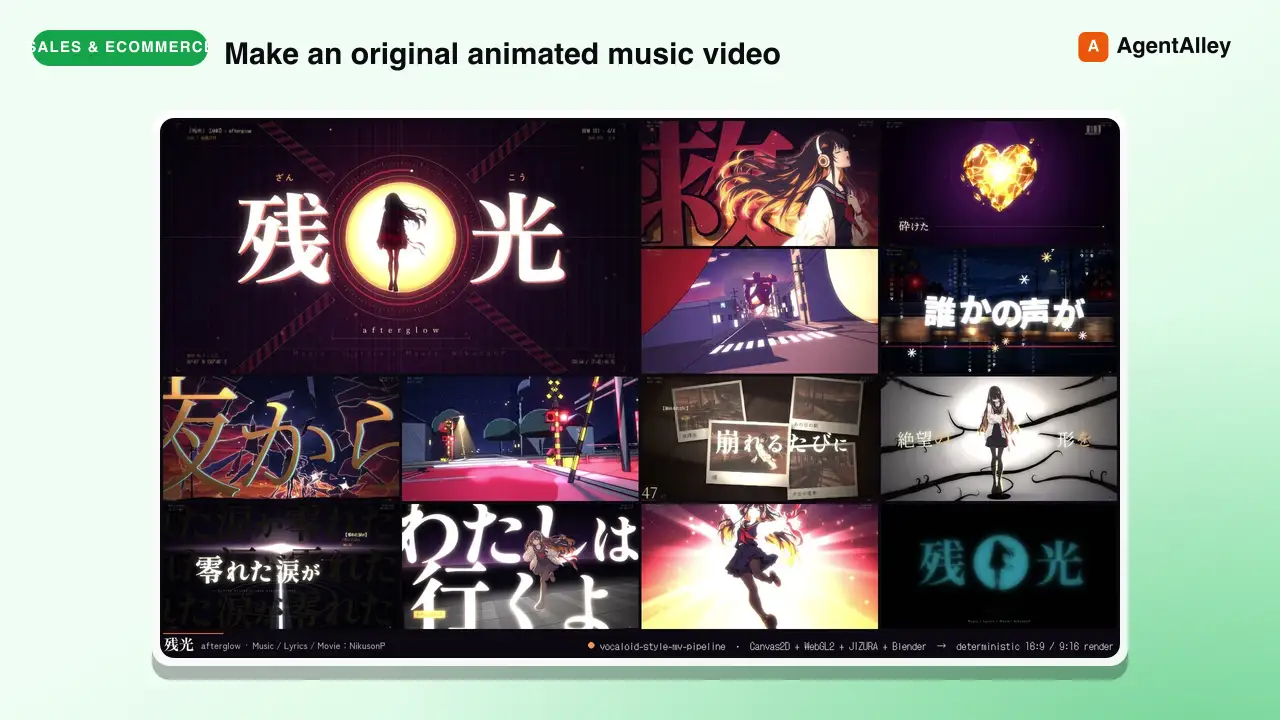
 EGSECDA/vocaloid-style-mv-pipeline · by EGSECDAMake an original animated music video (MV / PV) for a song from its audio file plus lyrics, in the Vocaloid / J-pop lyric-video tradition: 手書き/tegaki (V家手书, 手描きMV, ボカロPV), 文字PV and kinetic typography (リリックモーション, リリックビデオ, 歌詞動画, 歌词视频, 动态歌词), anime-illustration MVs with an original character — for any mood, from dark ballads to bright upbeat summer pop. Renders to MP4 with a deterministic Canvas2D/WebGL2 engine in a headless browser: JIZURA lyric motion, AI-generated art, optional Blender toon 3D, beat-locked editing, 9:16 vertical/Shorts version. Use it whenever the user wants a music video, MV, PV, lyric video or beat-synced animation for a song, e.g. make an MV for my song", "turn this track into a lyric video", "给这首歌做个MV/PV", "做个V家手书", "この曲のMVを作って", ボカロPV作って", "縦型ショートも" — even if they only give a .wav/.mp3 and say "make a cool video for it". Not for editing existing footage or clip compilations.★ 169 GitHub stars
 SkillConstruction Project Manager
 hewi333/Mom-n-Pop-Skills · by hewi333Construction company AI agent — orchestrates email (Google Workspace), project management (JobTread Pave API), and file routing for a construction business. Handles email triage, attachment routing to JobTread, project status, task management, and daily briefings via Telegram. Reference implementation for a construction/trades business with an existing email→Drive→PM pipeline.★ 122 GitHub stars
 SkillLightweight SQLite CRMhewi333/Mom-n-Pop-Skills · by hewi333Use when tracking customer interactions, managing leads, or building a lightweight CRM for small businesses without dedicated CRM software. Stores contacts, leads, activities, estimates, and communications in local SQLite.★ 122 GitHub stars
 SkillShort Video Pipeline
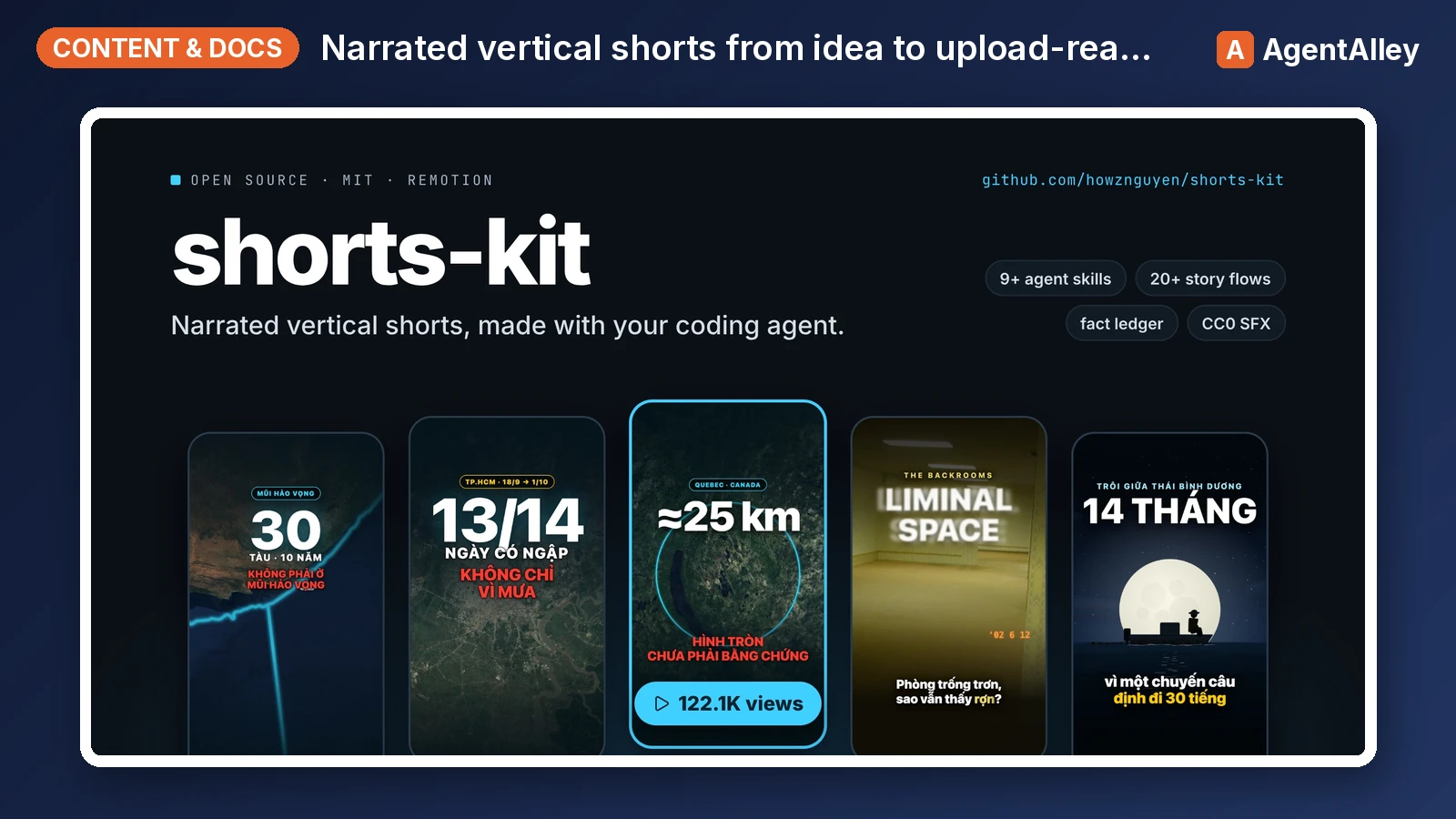
 howznguyen/shorts-kit · by howznguyenOrchestrates one narrated vertical short (TikTok, YouTube Shorts, Reels) from idea to upload-ready hand-off files, in the fixed order idea, facts, flow and visual choice, brief, narration, TTS, lint, scenes, still review, render, cover, normalize, encode, hand-off. Use when the user says "make a video about X", "start a new short", "take this idea to a finished video", "what's the next step", "where was I on this video", or asks how the whole pipeline fits together. Also when the user gives a video or audio file (or a folder of clips) to edit: "edit this video", "dựng video này", a .mov/.mp4 path. Points at the skill and the SOUL section that governs each step.★ 69 GitHub stars
 AgentNEXUS Agent Promptsmsitarzewski/agency-agents · by msitarzewski> Ready-to-use prompt templates for activating any agent within the NEXUS pipeline. Copy, customize the [PLACEHOLDERS], and deploy.★ 154k GitHub stars
More from hassancs91
 SkillScreenshot to Screencast
 hassancs91/claude-youtube-editor · by hassancs91Turn static SCREENSHOTS into a simulated screen recording (TSX) — a fake screencast with an animated cursor that eases to targets and clicks, a browser URL bar that updates per page, hard-cut navigations, in-page filter crossfades, smooth scroll, and a ken-burns zoom onto the payoff. Use when a beat needs to show a walkthrough of a web app / dashboard / settings page and you'd rather build it from screenshots than get (or ask for) a real screen recording — "fake a screen recording", "turn these screenshots into a screencast", "simulate clicking through the dashboard", "animate this UI walkthrough", "cursor moving through the app". Built on remotion/src/lib/screencast.tsx. This is a technique WITHIN step 2 (make-tsx): defer timeline/render/bake orchestration to make-tsx and raw crash-free TSX rules to vidtsx-2d-generator. Not for a single static page clone (use WebBrowserFrame directly) and not when the point is genuine proof of real speed/output (use a real recording).★ 330 GitHub stars
 SkillSound Effects Suggesterhassancs91/claude-youtube-editor · by hassancs91Step 4 of the AI Video Editor pipeline — the SFX pass. Analyze a video's beats + narration and propose tasteful sound effects synced to them, drawing from (and growing) a shared, reusable SFX library, then render an SFX-mixed audition preview. Use when the user wants to "add SFX / sound effects", "suggest sfx", "score the transitions", "sound-design this beat", generate/source sound effects, build or extend the sfx library/catalog, author or audit a sfx-plan, or mix SFX over a video-N preview in this repo. Covers reading timeline + edited-transcript + brand §10, the library-first flow, generating misses with the ElevenLabs Sound Effects API, the per-video sfx-plan.json, the hard user-audit gate, and mixing with tools/mix_sfx.py (light voice ducking). Not the music bed (that is the final-mix step) and not the visual beats (that is /make-tsx).★ 330 GitHub stars
 SkillYouTube Packaging Generatorhassancs91/claude-youtube-editor · by hassancs91Generates click-optimized YouTube packaging — 3 thumbnail bets under one fixed title, engineered for YouTube's built-in A/B/C thumbnail test, plus a value-forward description, then renders the thumbnails as real images. Use this whenever you want to package a long-form video or turn a video idea into titles and thumbnails. Triggers include how would you package this, title ideas for, thumbnail concept, package this video, A/B variations, and make this clickable. Calibrates to your channel's own CTR data if you have it. Long-form only, never Shorts. Not for non-YouTube copywriting.★ 330 GitHub stars