GEO Domain Analysis
GEO analysis
Run a full GEO/SEO client analysis for a domain via the Enception external API — start the analysis, poll its status, and download the PDF report covering AI visibility, market research, and competitors. Use when the user says 'run a…
---
name: geo-analysis
description: "Run a full GEO/SEO client analysis for a domain via the Enception external API — start the analysis, poll its status, and download the PDF report covering AI visibility, market research, and competitors. Use when the user says 'run a client analysis', 'analyze <domain> for GEO', 'GEO analysis for <domain>', or 'check analysis status'."
---

# GEO Analysis

Run a full GEO/SEO analysis for a domain and get a client-ready PDF report: AI visibility (is the brand recommended by ChatGPT / Google AI), deep market research, and competitor landscape.

Thin wrapper over the Enception client-analysis API. Three operations: **start**, **status**, **report** (plus an optional brand-name correction).

**Disclosure:** contributed by Enception AI and calls Enception's **paid** external API. Docs: https://www.enception.ai/doc/api-client-analysis

## Requirements

- `ENCEPTION_ANALYSIS_API_KEY` — sent as the `x-api-key` header. Self-serve: sign up at https://www.enception.ai, then generate a free-tier key under Account → API Key (2 analyses/month free; contact the team for higher limits). Rate limit: 10 requests/minute.

## 1. Start
Overview
Run a full GEO/SEO analysis for a domain and get a client-ready PDF report: AI visibility (is the brand recommended by ChatGPT / Google AI), deep market research, and competitor landscape.
Manual install (npx, ZIP)
npx skills add OpenClaudia/openclaudia-skills --skill geo-analysis -g -a claude-codenpx degit OpenClaudia/openclaudia-skills/skills/geo-analysis#main ~/.claude/skills/geo-analysisConnects with Agent Alley MCP · agentalley.io/mcp
Files included
SKILL.md4.1 KB
Read SKILL.md here
Show the full text64 lines
GEO Analysis
Run a full GEO/SEO analysis for a domain and get a client-ready PDF report: AI visibility (is the brand recommended by ChatGPT / Google AI), deep market research, and competitor landscape.
Thin wrapper over the Enception client-analysis API. Three operations: start, status, report (plus an optional brand-name correction).
Disclosure: contributed by Enception AI and calls Enception's paid external API. Docs: https://www.enception.ai/doc/api-client-analysis
Requirements
ENCEPTION_ANALYSIS_API_KEY— sent as thex-api-keyheader. Self-serve: sign up at https://www.enception.ai, then generate a free-tier key under Account → API Key (2 analyses/month free; contact the team for higher limits). Rate limit: 10 requests/minute.
1. Start
POST https://www.enception.ai/api/external/client-analysis/start
Required: website_url, primary_region, core_goals. Sensible defaults: primary_region=us, core_goals=traffic, output_language=en, competitors=[]. The API normalizes URLs to a bare domain and rejects IPs. Returns { id, message } — save the id.
Pick output_language from an explicit request first, then the user's conversation language, then the domain TLD (.cn → zh; otherwise en).
curl -s -X POST "https://www.enception.ai/api/external/client-analysis/start" \
  -H "x-api-key: $ENCEPTION_ANALYSIS_API_KEY" -H "Content-Type: application/json" \
  -d '{"website_url":"https://example.com/","primary_region":"us","competitors":[],"core_goals":"traffic","output_language":"en"}'
Only override primary_region / core_goals / competitors if the user specifies. core_goals is free text (e.g. traffic, ranking). Competitors: [{"name":"X","domain":"x.com"}, ...] (max 5). For multiple domains, fire one POST each and collect the ids.
2. Status
POST https://www.enception.ai/api/external/client-analysis/status with body { "id": "<id>" } and the same x-api-key header. Returns { status: 'pending' | 'failed' | 'succeeded', progress_percent?, pdf_url? }.
A full run takes ~20–45 minutes — the bottleneck is the deep market-research step. Poll on a long interval (minutes, not seconds). succeeded ⇒ ready to fetch the report. If a run fails or stalls indefinitely, report that to the user rather than inventing results.
3. Report
GET https://www.enception.ai/api/external/client-analysis/report/<id> — public, no auth; shareable by id. Works once status is succeeded (also serves partial runs).
curl -s -o geo-analysis-example.pdf \
  "https://www.enception.ai/api/external/client-analysis/report/<id>"
Confirm it's a real PDF (file geo-analysis-example.pdf), then give the user the file and/or the public URL.
4. Fix "zero visibility" (brand-name correction)
POST https://www.enception.ai/api/external/client-analysis/update-brand with body { "id", "brand_name"?, "alternative_names": [...] } and the x-api-key header.
When a report shows zero/low AI visibility but the brand IS recommended by ChatGPT/Google, it's almost always because the brand is only known by its fused domain label (e.g. pudurobotics) while AI engines say "Pudu Robotics". Supply the real name + aliases and the route recomputes visibility from the already-stored answers (no re-query — fast), then re-fetch the report.
curl -s -X POST "https://www.enception.ai/api/external/client-analysis/update-brand" \
  -H "x-api-key: $ENCEPTION_ANALYSIS_API_KEY" -H "Content-Type: application/json" \
  -d '{"id":"<id>","brand_name":"Pudu Robotics","alternative_names":["Pudu","PuduBot"]}'
Returns { success, mention_rate, overall_score, average_position, analysis_regenerated }. New analyses resolve the brand name automatically; this is the manual correction path for existing reports.
| 1 | |
| 2 | name geo-analysis |
| 3 | description "Run a full GEO/SEO client analysis for a domain via the Enception external API — start the analysis, poll its status, and download the PDF report covering AI visibility, market research, and competitors. Use when the user says 'run a client analysis', 'analyze <domain> for GEO', 'GEO analysis for <domain>', or 'check analysis status'." |
| 4 | |
| 5 | |
| 6 | # GEO Analysis |
| 7 | |
| 8 | Run a full GEO/SEO analysis for a domain and get a client-ready PDF report: AI visibility (is the brand recommended by ChatGPT / Google AI), deep market research, and competitor landscape. |
| 9 | |
| 10 | Thin wrapper over the Enception client-analysis API. Three operations: **start**, **status**, **report** (plus an optional brand-name correction). |
| 11 | |
| 12 | **Disclosure:** contributed by Enception AI and calls Enception's **paid** external API. Docs: https://www.enception.ai/doc/api-client-analysis |
| 13 | |
| 14 | ## Requirements |
| 15 | |
| 16 | `ENCEPTION_ANALYSIS_API_KEY` — sent as the `x-api-key` header. Self-serve: sign up at https://www.enception.ai, then generate a free-tier key under Account → API Key (2 analyses/month free; contact the team for higher limits). Rate limit: 10 requests/minute. |
| 17 | |
| 18 | ## 1. Start |
| 19 | |
| 20 | `POST https://www.enception.ai/api/external/client-analysis/start` |
| 21 | |
| 22 | Required: `website_url`, `primary_region`, `core_goals`. Sensible defaults: `primary_region=us`, `core_goals=traffic`, `output_language=en`, `competitors=[]`. The API normalizes URLs to a bare domain and rejects IPs. Returns `{ id, message }` — **save the `id`**. |
| 23 | |
| 24 | Pick `output_language` from an explicit request first, then the user's conversation language, then the domain TLD (`.cn` → `zh`; otherwise `en`). |
| 25 | |
| 26 | |
| 27 | curl -s -X POST "https://www.enception.ai/api/external/client-analysis/start" \ |
| 28 | -H "x-api-key: $ENCEPTION_ANALYSIS_API_KEY" -H "Content-Type: application/json" \ |
| 29 | -d '{"website_url":"https://example.com/","primary_region":"us","competitors":[],"core_goals":"traffic","output_language":"en"}' |
| 30 | |
| 31 | |
| 32 | Only override `primary_region` / `core_goals` / `competitors` if the user specifies. `core_goals` is free text (e.g. `traffic`, `ranking`). Competitors: `[{"name":"X","domain":"x.com"}, ...]` (max 5). For multiple domains, fire one POST each and collect the ids. |
| 33 | |
| 34 | ## 2. Status |
| 35 | |
| 36 | `POST https://www.enception.ai/api/external/client-analysis/status` with body `{ "id": "<id>" }` and the same `x-api-key` header. Returns `{ status: 'pending' | 'failed' | 'succeeded', progress_percent?, pdf_url? }`. |
| 37 | |
| 38 | A full run takes **~20–45 minutes** — the bottleneck is the deep market-research step. Poll on a long interval (minutes, not seconds). `succeeded` ⇒ ready to fetch the report. If a run fails or stalls indefinitely, report that to the user rather than inventing results. |
| 39 | |
| 40 | ## 3. Report |
| 41 | |
| 42 | `GET https://www.enception.ai/api/external/client-analysis/report/<id>` — public, no auth; shareable by id. Works once status is `succeeded` (also serves partial runs). |
| 43 | |
| 44 | |
| 45 | curl -s -o geo-analysis-example.pdf \ |
| 46 | "https://www.enception.ai/api/external/client-analysis/report/<id>" |
| 47 | |
| 48 | |
| 49 | Confirm it's a real PDF (`file geo-analysis-example.pdf`), then give the user the file and/or the public URL. |
| 50 | |
| 51 | ## 4. Fix "zero visibility" (brand-name correction) |
| 52 | |
| 53 | `POST https://www.enception.ai/api/external/client-analysis/update-brand` with body `{ "id", "brand_name"?, "alternative_names": [...] }` and the `x-api-key` header. |
| 54 | |
| 55 | When a report shows zero/low AI visibility but the brand IS recommended by ChatGPT/Google, it's almost always because the brand is only known by its fused domain label (e.g. `pudurobotics`) while AI engines say "Pudu Robotics". Supply the real name + aliases and the route recomputes visibility from the already-stored answers (no re-query — fast), then re-fetch the report. |
| 56 | |
| 57 | |
| 58 | curl -s -X POST "https://www.enception.ai/api/external/client-analysis/update-brand" \ |
| 59 | -H "x-api-key: $ENCEPTION_ANALYSIS_API_KEY" -H "Content-Type: application/json" \ |
| 60 | -d '{"id":"<id>","brand_name":"Pudu Robotics","alternative_names":["Pudu","PuduBot"]}' |
| 61 | |
| 62 | |
| 63 | Returns `{ success, mention_rate, overall_score, average_position, analysis_regenerated }`. New analyses resolve the brand name automatically; this is the manual correction path for existing reports. |
| 64 |
Details
- License
- MIT
- Stars on the repo
- ★ 705
- Checked
- Source
- OpenClaudia/openclaudia-skills ↗
- Creator
- OpenClaudia · 78 listings
Similar skills
See all → SkillAI Search Optimization
 AgriciDaniel/claude-seo · by AgriciDanielOptimize content for AI Overviews (formerly SGE), ChatGPT web search, Perplexity, and other AI-powered search experiences. Generative Engine Optimization (GEO) analysis including brand mention signals, AI crawler accessibility, llms.txt compliance, passage-level citability scoring, and platform-specific optimization. Use when user says "AI Overviews", "SGE", GEO", "AI search", "LLM optimization", "Perplexity", "AI citations", ChatGPT search", or "AI visibility".★ 17.4k GitHub stars
 SkillPhoto Geolocation Analyzer
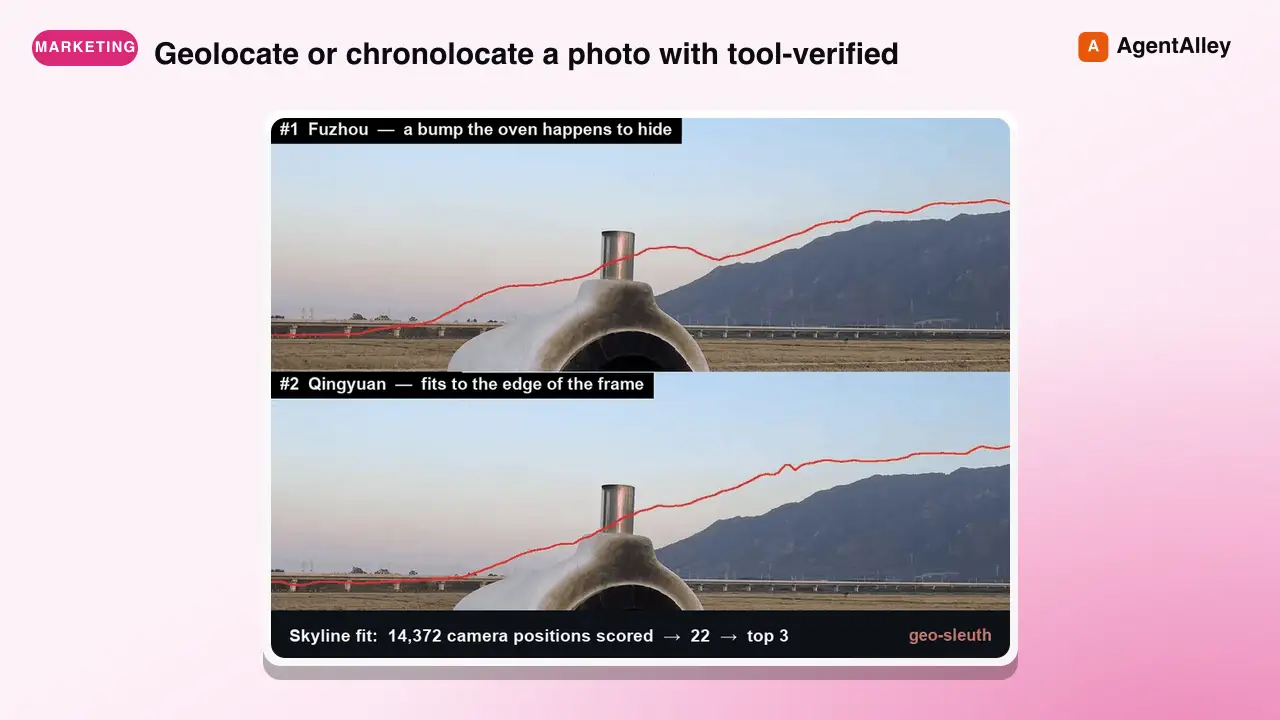
 Oldcircle/geo-sleuth · by OldcircleGeolocate or chronolocate a photo with tool-verified reasoning (where was this taken / when was it taken / photo geolocation / geo-guessing). Given one or more photos, intake.py does metadata, OCR and reverse image search (Baidu/Yandex) in one command; clues and candidates go on a candidate board (board.py) that ranks them and gives the next step; clues.py looks up calling codes, driving side, plates and area codes from region packs; for satellite and street view the machine ranks first and you look only at the top few (CLIP in sat_scan.py, DINOv2+SIFT in match.py); plus sun and shadow math, OSM Overpass and DEM skylines. Every conclusion is checked against real data; output is coordinates + error radius, evidence images and tiered confidence. Use when the user shares a photo and asks where was this taken / geolocate this / when was this taken / 这是哪 / 在哪拍的 / 帮我定位这张照片 / 网络迷踪 / 图寻 / 几点拍的.★ 3.4k GitHub stars
 SkillAI Engine Visibility Tracker
 Ryze-AI-Adgent/open-seo-mcp-skills · by Ryze-AI-AdgentMeasure real AI-engine visibility — traffic from ChatGPT, Perplexity, Claude, Gemini and which pages they cite — from actual GA4 referral data, not prompt sampling. Use when asked "AI visibility", "GEO/AEO check", "do LLMs cite us", "traffic from ChatGPT", or "how do we show up in AI search".★ 3.1k GitHub stars
 SkillAI Citation Readiness StrategyAgriciDaniel/claude-blog · by AgriciDanielUse GEO and AEO as legacy labels for AI citation readiness. For Google, the★ 2.2k GitHub stars
 SkillMulti-Channel SEO Operator
 leopard627/fire-your-seo-agency · by leopard627SEO·AEO·GEO·LLMO·NEO(네이버) 다섯 레인을 진단하고 직접 구현하며, 인용되는 콘텐츠를 계속 생산하는 서브 블로그·콘텐츠 운영 파이프라인까지 세팅하는 스킬. 사이트를 검색엔진·답변엔진·생성 AI·네이버 AI 브리핑이 인용하는 1차 소스로 만든다. "SEO 해줘", "AI에 인용되게 해줘", "네이버 노출 늘려줘", "llms.txt 만들어줘", "블로그 만들어줘/글 써줘", "콘텐츠 백로그·캘린더 잡아줘", "낡은 글 갱신해줘" 류 요청에 사용. Use for "audit my site's SEO", "get my site cited by ChatGPT/Perplexity/AI Overviews", "improve search visibility", "create llms.txt", "answer engine / generative engine optimization", "set up a blog that gets cited", "content backlog / calendar / refresh", and any AI-search-visibility request.★ 716 GitHub stars
 SkillSEO and GEO Auditor
 dageno-agents/seo-geo-audit · by dageno-agentsRun a unified SEO and GEO audit for a website, page, or domain. Use when the user asks for a full SEO audit, GEO audit, AI visibility review, EEAT review, entity audit, authority audit, or wants one prioritized report that combines technical findings, content quality, trust signals, and AI citation readiness.★ 175 GitHub stars
More from OpenClaudia
 SkillA/B Testing Framework
 OpenClaudia/openclaudia-skills · by OpenClaudiaDesign, plan, and analyze A/B tests with statistical rigor. Use when the user asks about A/B testing, split testing, experiment design, statistical significance, sample size calculation, test duration, multivariate testing, or conversion experiments. Trigger phrases include "A/B test", "split test", "experiment", "statistical significance", "sample size", "test duration", "which version wins", "conversion experiment", "hypothesis test", "variant testing".★ 705 GitHub stars
 SkillAffiliate Marketing ProgramOpenClaudia/openclaudia-skills · by OpenClaudiaBuild and manage an affiliate marketing program. Use when the user says "affiliate program", "affiliate marketing", "affiliate partners", "referral commissions", "affiliate network", "partner program", "affiliate tracking", or asks about creating, managing, or growing an affiliate or partner program.★ 705 GitHub stars
 SkillAhrefs API ManagerOpenClaudia/openclaudia-skills · by OpenClaudiaManages Ahrefs API usage in Python using `ahrefs-python` library. Use when working with SEO / marketing related tasks or with data including backlinks, keywords, domain ratings, organic traffic, site audits, rank tracking, and brand monitoring. Covers `ahrefs-python` usage including AhrefsClient / AsyncAhrefsClient, typed request/response models, error handling, and all API sections.★ 705 GitHub stars
 SkillAI Citations Report GeneratorOpenClaudia/openclaudia-skills · by OpenClaudiaGenerate an AI Citations Report (GEO) for a domain — which AI-search prompts cite the site across Google AI Overview and ChatGPT, plus organic-traffic context and per-article citation coverage. Use when the user asks for an 'AI citations report', 'GEO citations report', or 'which AI prompts cite <domain>'.★ 705 GitHub stars
 SkillB2B Lead EnricherOpenClaudia/openclaudia-skills · by OpenClaudiaResearch and enrich B2B leads using the Apollo.io API. Use when the user says "find leads", "prospect research", "company enrichment", "find decision makers", "B2B leads", "lead research", "enrich contacts", "find VP of marketing at", or asks about finding people at specific companies or in specific roles.★ 705 GitHub stars
 SkillBacklink Health CheckerOpenClaudia/openclaudia-skills · by OpenClaudiaAudit a domain's backlink profile using the SemRush API. Use when the user says "audit backlinks", "check my backlinks", "backlink analysis", "link profile", "toxic links", "disavow", "link building opportunities", "referring domains", "anchor text", or asks about a site's link authority.★ 705 GitHub stars