HubSpot CRM Manager
Hubspot
Manage HubSpot CRM contacts, companies, deals, and CMS content via API. Use when the user says "add contact to HubSpot", "create deal", "search CRM", "HubSpot contacts", "update deal stage", "CRM report", "HubSpot pages", or asks about…
---
name: hubspot
description: Manage HubSpot CRM contacts, companies, deals, and CMS content via API. Use when the user says "add contact to HubSpot", "create deal", "search CRM", "HubSpot contacts", "update deal stage", "CRM report", "HubSpot pages", or asks about managing their sales pipeline, CRM data, or HubSpot content.
---

# HubSpot CRM & CMS Skill

You are a HubSpot CRM and CMS automation expert. Use the HubSpot API to manage contacts, companies, deals, owners, associations, properties, CMS pages, and files.

## Prerequisites

This skill requires `HUBSPOT_ACCESS_TOKEN` (Private App token). Check for it in environment variables or `~/.claude/.env.global`. If not found, inform the user:

```
This skill requires a HubSpot Private App access token. Set it via:
  export HUBSPOT_ACCESS_TOKEN=your_token_here
Or add it to ~/.claude/.env.global
Overview
You are a HubSpot CRM and CMS automation expert. Use the HubSpot API to manage contacts, companies, deals, owners, associations, properties, CMS pages, and files.
Manual install (npx, ZIP)
npx skills add OpenClaudia/openclaudia-skills --skill hubspot -g -a claude-codenpx degit OpenClaudia/openclaudia-skills/skills/hubspot#main ~/.claude/skills/hubspotConnects with Agent Alley MCP · agentalley.io/mcp
Files included
SKILL.md7.2 KB
Read SKILL.md here
Show the full text247 lines
HubSpot CRM & CMS Skill
You are a HubSpot CRM and CMS automation expert. Use the HubSpot API to manage contacts, companies, deals, owners, associations, properties, CMS pages, and files.
Prerequisites
This skill requires HUBSPOT_ACCESS_TOKEN (Private App token). Check for it in environment variables or ~/.claude/.env.global. If not found, inform the user:
This skill requires a HubSpot Private App access token. Set it via:
  export HUBSPOT_ACCESS_TOKEN=your_token_here
Or add it to ~/.claude/.env.global

Create a Private App at: Settings > Integrations > Private Apps
Required scopes: crm.objects.contacts, crm.objects.companies, crm.objects.deals, content
API Reference
Base URL: https://api.hubapi.com
Auth header: Authorization: Bearer ${HUBSPOT_ACCESS_TOKEN}
Rate limit: 100 requests per 10 seconds for private apps.
Contacts
List contacts:
curl -s "https://api.hubapi.com/crm/v3/objects/contacts?limit=10&properties=firstname,lastname,email,company,phone" \
  -H "Authorization: Bearer ${HUBSPOT_ACCESS_TOKEN}"
Search contacts:
curl -s -X POST "https://api.hubapi.com/crm/v3/objects/contacts/search" \
  -H "Authorization: Bearer ${HUBSPOT_ACCESS_TOKEN}" \
  -H "Content-Type: application/json" \
  -d '{
    "filterGroups": [{
      "filters": [{
        "propertyName": "email",
        "operator": "CONTAINS_TOKEN",
        "value": "example.com"
      }]
    }],
    "properties": ["firstname", "lastname", "email", "company"],
    "limit": 10
  }'
Create contact:
curl -s -X POST "https://api.hubapi.com/crm/v3/objects/contacts" \
  -H "Authorization: Bearer ${HUBSPOT_ACCESS_TOKEN}" \
  -H "Content-Type: application/json" \
  -d '{
    "properties": {
      "firstname": "John",
      "lastname": "Doe",
      "email": "[email protected]",
      "company": "Acme Inc",
      "phone": "+1234567890"
    }
  }'
Get contact by email:
curl -s -X POST "https://api.hubapi.com/crm/v3/objects/contacts/search" \
  -H "Authorization: Bearer ${HUBSPOT_ACCESS_TOKEN}" \
  -H "Content-Type: application/json" \
  -d '{
    "filterGroups": [{
      "filters": [{
        "propertyName": "email",
        "operator": "EQ",
        "value": "[email protected]"
      }]
    }],
    "properties": ["firstname", "lastname", "email", "company", "phone", "lifecyclestage"]
  }'
Companies
List companies:
curl -s "https://api.hubapi.com/crm/v3/objects/companies?limit=10&properties=name,domain,industry,numberofemployees" \
  -H "Authorization: Bearer ${HUBSPOT_ACCESS_TOKEN}"
Search companies by domain:
curl -s -X POST "https://api.hubapi.com/crm/v3/objects/companies/search" \
  -H "Authorization: Bearer ${HUBSPOT_ACCESS_TOKEN}" \
  -H "Content-Type: application/json" \
  -d '{
    "filterGroups": [{
      "filters": [{
        "propertyName": "domain",
        "operator": "EQ",
        "value": "example.com"
      }]
    }],
    "properties": ["name", "domain", "industry", "numberofemployees", "annualrevenue"]
  }'
Deals
Create deal:
curl -s -X POST "https://api.hubapi.com/crm/v3/objects/deals" \
  -H "Authorization: Bearer ${HUBSPOT_ACCESS_TOKEN}" \
  -H "Content-Type: application/json" \
  -d '{
    "properties": {
      "dealname": "New Enterprise Deal",
      "dealstage": "appointmentscheduled",
      "pipeline": "default",
      "amount": "50000",
      "closedate": "2026-06-30"
    }
  }'
List deals:
curl -s "https://api.hubapi.com/crm/v3/objects/deals?limit=10&properties=dealname,dealstage,amount,closedate,pipeline" \
  -H "Authorization: Bearer ${HUBSPOT_ACCESS_TOKEN}"
Update deal stage:
curl -s -X PATCH "https://api.hubapi.com/crm/v3/objects/deals/{dealId}" \
  -H "Authorization: Bearer ${HUBSPOT_ACCESS_TOKEN}" \
  -H "Content-Type: application/json" \
  -d '{"properties": {"dealstage": "closedwon"}}'
Owners
List owners (sales reps):
curl -s "https://api.hubapi.com/crm/v3/owners/" \
  -H "Authorization: Bearer ${HUBSPOT_ACCESS_TOKEN}"
Associations
Associate contacts with companies or deals:
# Associate deal with contact (type 3)
curl -s -X PUT "https://api.hubapi.com/crm/v3/objects/deals/{dealId}/associations/contacts/{contactId}/3" \
  -H "Authorization: Bearer ${HUBSPOT_ACCESS_TOKEN}"

# Associate deal with company (type 5)
curl -s -X PUT "https://api.hubapi.com/crm/v3/objects/deals/{dealId}/associations/companies/{companyId}/5" \
  -H "Authorization: Bearer ${HUBSPOT_ACCESS_TOKEN}"

# Associate contact with company (type 1)
curl -s -X PUT "https://api.hubapi.com/crm/v3/objects/contacts/{contactId}/associations/companies/{companyId}/1" \
  -H "Authorization: Bearer ${HUBSPOT_ACCESS_TOKEN}"
Get associated contacts for a deal:
curl -s "https://api.hubapi.com/crm/v3/objects/deals/{dealId}/associations/contacts" \
  -H "Authorization: Bearer ${HUBSPOT_ACCESS_TOKEN}"
Properties
List all contact properties:
curl -s "https://api.hubapi.com/crm/v3/properties/contacts" \
  -H "Authorization: Bearer ${HUBSPOT_ACCESS_TOKEN}"
CMS Pages
List site pages:
curl -s "https://api.hubapi.com/cms/v3/pages/site-pages?limit=10" \
  -H "Authorization: Bearer ${HUBSPOT_ACCESS_TOKEN}"
List landing pages:
curl -s "https://api.hubapi.com/cms/v3/pages/landing-pages?limit=10" \
  -H "Authorization: Bearer ${HUBSPOT_ACCESS_TOKEN}"
Search Operators
| Operator | Description |
|---|---|
EQ |
Equal to |
NEQ |
Not equal to |
LT / LTE |
Less than / Less than or equal |
GT / GTE |
Greater than / Greater than or equal |
CONTAINS_TOKEN |
Contains word |
NOT_CONTAINS_TOKEN |
Does not contain word |
HAS_PROPERTY |
Property exists |
NOT_HAS_PROPERTY |
Property does not exist |
Pagination
All list endpoints support pagination via the after parameter:
curl -s "https://api.hubapi.com/crm/v3/objects/contacts?limit=100&after={next_cursor}" \
  -H "Authorization: Bearer ${HUBSPOT_ACCESS_TOKEN}"
The after value comes from paging.next.after in the response.
Common Workflows
Pipeline Report
- List all deals with
dealstage,amount,closedate - Group by stage
- Sum amounts per stage
- Present as pipeline summary table
Contact Enrichment
- Search contacts missing key properties (
NOT_HAS_PROPERTY) - For each, check if company domain exists
- Pull company data and update contact
Deal Health Check
- List deals in active stages
- Flag deals with no activity in 14+ days
- Flag deals past expected close date
- Present prioritized action list
Important Notes
- Always use pagination for large datasets. Default limit is 10, max is 100.
- HubSpot property names are lowercase with no spaces (e.g.,
firstname,dealstage,closedate). - Deal stages vary by pipeline. List pipeline stages via the Pipelines API if needed.
- Rate limit: 100 requests per 10 seconds. Batch operations when possible.
| 1 | |
| 2 | name hubspot |
| 3 | description Manage HubSpot CRM contacts, companies, deals, and CMS content via API. Use when the user says "add contact to HubSpot", "create deal", "search CRM", "HubSpot contacts", "update deal stage", "CRM report", "HubSpot pages", or asks about managing their sales pipeline, CRM data, or HubSpot content. |
| 4 | |
| 5 | |
| 6 | # HubSpot CRM & CMS Skill |
| 7 | |
| 8 | You are a HubSpot CRM and CMS automation expert. Use the HubSpot API to manage contacts, companies, deals, owners, associations, properties, CMS pages, and files. |
| 9 | |
| 10 | ## Prerequisites |
| 11 | |
| 12 | This skill requires `HUBSPOT_ACCESS_TOKEN` (Private App token). Check for it in environment variables or `~/.claude/.env.global`. If not found, inform the user: |
| 13 | |
| 14 | |
| 15 | This skill requires a HubSpot Private App access token. Set it via: |
| 16 | export HUBSPOT_ACCESS_TOKEN=your_token_here |
| 17 | Or add it to ~/.claude/.env.global |
| 18 | |
| 19 | Create a Private App at: Settings > Integrations > Private Apps |
| 20 | Required scopes: crm.objects.contacts, crm.objects.companies, crm.objects.deals, content |
| 21 | |
| 22 | |
| 23 | ## API Reference |
| 24 | |
| 25 | Base URL: `https://api.hubapi.com` |
| 26 | Auth header: `Authorization: Bearer ${HUBSPOT_ACCESS_TOKEN}` |
| 27 | Rate limit: 100 requests per 10 seconds for private apps. |
| 28 | |
| 29 | ### Contacts |
| 30 | |
| 31 | **List contacts:** |
| 32 | |
| 33 | curl -s "https://api.hubapi.com/crm/v3/objects/contacts?limit=10&properties=firstname,lastname,email,company,phone" \ |
| 34 | -H "Authorization: Bearer ${HUBSPOT_ACCESS_TOKEN}" |
| 35 | |
| 36 | |
| 37 | **Search contacts:** |
| 38 | |
| 39 | curl -s -X POST "https://api.hubapi.com/crm/v3/objects/contacts/search" \ |
| 40 | -H "Authorization: Bearer ${HUBSPOT_ACCESS_TOKEN}" \ |
| 41 | -H "Content-Type: application/json" \ |
| 42 | -d '{ |
| 43 | "filterGroups": [{ |
| 44 | "filters": [{ |
| 45 | "propertyName": "email", |
| 46 | "operator": "CONTAINS_TOKEN", |
| 47 | "value": "example.com" |
| 48 | }] |
| 49 | }], |
| 50 | "properties": ["firstname", "lastname", "email", "company"], |
| 51 | "limit": 10 |
| 52 | }' |
| 53 | |
| 54 | |
| 55 | **Create contact:** |
| 56 | |
| 57 | curl -s -X POST "https://api.hubapi.com/crm/v3/objects/contacts" \ |
| 58 | -H "Authorization: Bearer ${HUBSPOT_ACCESS_TOKEN}" \ |
| 59 | -H "Content-Type: application/json" \ |
| 60 | -d '{ |
| 61 | "properties": { |
| 62 | "firstname": "John", |
| 63 | "lastname": "Doe", |
| 64 | "email": "[email protected]", |
| 65 | "company": "Acme Inc", |
| 66 | "phone": "+1234567890" |
| 67 | } |
| 68 | }' |
| 69 | |
| 70 | |
| 71 | **Get contact by email:** |
| 72 | |
| 73 | curl -s -X POST "https://api.hubapi.com/crm/v3/objects/contacts/search" \ |
| 74 | -H "Authorization: Bearer ${HUBSPOT_ACCESS_TOKEN}" \ |
| 75 | -H "Content-Type: application/json" \ |
| 76 | -d '{ |
| 77 | "filterGroups": [{ |
| 78 | "filters": [{ |
| 79 | "propertyName": "email", |
| 80 | "operator": "EQ", |
| 81 | "value": "[email protected]" |
| 82 | }] |
| 83 | }], |
| 84 | "properties": ["firstname", "lastname", "email", "company", "phone", "lifecyclestage"] |
| 85 | }' |
| 86 | |
| 87 | |
| 88 | ### Companies |
| 89 | |
| 90 | **List companies:** |
| 91 | |
| 92 | curl -s "https://api.hubapi.com/crm/v3/objects/companies?limit=10&properties=name,domain,industry,numberofemployees" \ |
| 93 | -H "Authorization: Bearer ${HUBSPOT_ACCESS_TOKEN}" |
| 94 | |
| 95 | |
| 96 | **Search companies by domain:** |
| 97 | |
| 98 | curl -s -X POST "https://api.hubapi.com/crm/v3/objects/companies/search" \ |
| 99 | -H "Authorization: Bearer ${HUBSPOT_ACCESS_TOKEN}" \ |
| 100 | -H "Content-Type: application/json" \ |
| 101 | -d '{ |
| 102 | "filterGroups": [{ |
| 103 | "filters": [{ |
| 104 | "propertyName": "domain", |
| 105 | "operator": "EQ", |
| 106 | "value": "example.com" |
| 107 | }] |
| 108 | }], |
| 109 | "properties": ["name", "domain", "industry", "numberofemployees", "annualrevenue"] |
| 110 | }' |
| 111 | |
| 112 | |
| 113 | ### Deals |
| 114 | |
| 115 | **Create deal:** |
| 116 | |
| 117 | curl -s -X POST "https://api.hubapi.com/crm/v3/objects/deals" \ |
| 118 | -H "Authorization: Bearer ${HUBSPOT_ACCESS_TOKEN}" \ |
| 119 | -H "Content-Type: application/json" \ |
| 120 | -d '{ |
| 121 | "properties": { |
| 122 | "dealname": "New Enterprise Deal", |
| 123 | "dealstage": "appointmentscheduled", |
| 124 | "pipeline": "default", |
| 125 | "amount": "50000", |
| 126 | "closedate": "2026-06-30" |
| 127 | } |
| 128 | }' |
| 129 | |
| 130 | |
| 131 | **List deals:** |
| 132 | |
| 133 | curl -s "https://api.hubapi.com/crm/v3/objects/deals?limit=10&properties=dealname,dealstage,amount,closedate,pipeline" \ |
| 134 | -H "Authorization: Bearer ${HUBSPOT_ACCESS_TOKEN}" |
| 135 | |
| 136 | |
| 137 | **Update deal stage:** |
| 138 | |
| 139 | curl -s -X PATCH "https://api.hubapi.com/crm/v3/objects/deals/{dealId}" \ |
| 140 | -H "Authorization: Bearer ${HUBSPOT_ACCESS_TOKEN}" \ |
| 141 | -H "Content-Type: application/json" \ |
| 142 | -d '{"properties": {"dealstage": "closedwon"}}' |
| 143 | |
| 144 | |
| 145 | ### Owners |
| 146 | |
| 147 | **List owners (sales reps):** |
| 148 | |
| 149 | curl -s "https://api.hubapi.com/crm/v3/owners/" \ |
| 150 | -H "Authorization: Bearer ${HUBSPOT_ACCESS_TOKEN}" |
| 151 | |
| 152 | |
| 153 | ### Associations |
| 154 | |
| 155 | Associate contacts with companies or deals: |
| 156 | |
| 157 | |
| 158 | # Associate deal with contact (type 3) |
| 159 | curl -s -X PUT "https://api.hubapi.com/crm/v3/objects/deals/{dealId}/associations/contacts/{contactId}/3" \ |
| 160 | -H "Authorization: Bearer ${HUBSPOT_ACCESS_TOKEN}" |
| 161 | |
| 162 | # Associate deal with company (type 5) |
| 163 | curl -s -X PUT "https://api.hubapi.com/crm/v3/objects/deals/{dealId}/associations/companies/{companyId}/5" \ |
| 164 | -H "Authorization: Bearer ${HUBSPOT_ACCESS_TOKEN}" |
| 165 | |
| 166 | # Associate contact with company (type 1) |
| 167 | curl -s -X PUT "https://api.hubapi.com/crm/v3/objects/contacts/{contactId}/associations/companies/{companyId}/1" \ |
| 168 | -H "Authorization: Bearer ${HUBSPOT_ACCESS_TOKEN}" |
| 169 | |
| 170 | |
| 171 | **Get associated contacts for a deal:** |
| 172 | |
| 173 | curl -s "https://api.hubapi.com/crm/v3/objects/deals/{dealId}/associations/contacts" \ |
| 174 | -H "Authorization: Bearer ${HUBSPOT_ACCESS_TOKEN}" |
| 175 | |
| 176 | |
| 177 | ### Properties |
| 178 | |
| 179 | **List all contact properties:** |
| 180 | |
| 181 | curl -s "https://api.hubapi.com/crm/v3/properties/contacts" \ |
| 182 | -H "Authorization: Bearer ${HUBSPOT_ACCESS_TOKEN}" |
| 183 | |
| 184 | |
| 185 | ### CMS Pages |
| 186 | |
| 187 | **List site pages:** |
| 188 | |
| 189 | curl -s "https://api.hubapi.com/cms/v3/pages/site-pages?limit=10" \ |
| 190 | -H "Authorization: Bearer ${HUBSPOT_ACCESS_TOKEN}" |
| 191 | |
| 192 | |
| 193 | **List landing pages:** |
| 194 | |
| 195 | curl -s "https://api.hubapi.com/cms/v3/pages/landing-pages?limit=10" \ |
| 196 | -H "Authorization: Bearer ${HUBSPOT_ACCESS_TOKEN}" |
| 197 | |
| 198 | |
| 199 | ### Search Operators |
| 200 | |
| 201 | | Operator | Description | |
| 202 | |----------|-------------| |
| 203 | | `EQ` | Equal to | |
| 204 | | `NEQ` | Not equal to | |
| 205 | | `LT` / `LTE` | Less than / Less than or equal | |
| 206 | | `GT` / `GTE` | Greater than / Greater than or equal | |
| 207 | | `CONTAINS_TOKEN` | Contains word | |
| 208 | | `NOT_CONTAINS_TOKEN` | Does not contain word | |
| 209 | | `HAS_PROPERTY` | Property exists | |
| 210 | | `NOT_HAS_PROPERTY` | Property does not exist | |
| 211 | |
| 212 | ### Pagination |
| 213 | |
| 214 | All list endpoints support pagination via the `after` parameter: |
| 215 | |
| 216 | curl -s "https://api.hubapi.com/crm/v3/objects/contacts?limit=100&after={next_cursor}" \ |
| 217 | -H "Authorization: Bearer ${HUBSPOT_ACCESS_TOKEN}" |
| 218 | |
| 219 | |
| 220 | The `after` value comes from `paging.next.after` in the response. |
| 221 | |
| 222 | ## Common Workflows |
| 223 | |
| 224 | ### Pipeline Report |
| 225 | List all deals with `dealstage`, `amount`, `closedate` |
| 226 | Group by stage |
| 227 | Sum amounts per stage |
| 228 | Present as pipeline summary table |
| 229 | |
| 230 | ### Contact Enrichment |
| 231 | Search contacts missing key properties (`NOT_HAS_PROPERTY`) |
| 232 | For each, check if company domain exists |
| 233 | Pull company data and update contact |
| 234 | |
| 235 | ### Deal Health Check |
| 236 | List deals in active stages |
| 237 | Flag deals with no activity in 14+ days |
| 238 | Flag deals past expected close date |
| 239 | Present prioritized action list |
| 240 | |
| 241 | ## Important Notes |
| 242 | |
| 243 | Always use pagination for large datasets. Default limit is 10, max is 100. |
| 244 | HubSpot property names are lowercase with no spaces (e.g., `firstname`, `dealstage`, `closedate`). |
| 245 | Deal stages vary by pipeline. List pipeline stages via the Pipelines API if needed. |
| 246 | Rate limit: 100 requests per 10 seconds. Batch operations when possible. |
| 247 |
Details
- License
- MIT
- Stars on the repo
- ★ 705
- Checked
- Source
- OpenClaudia/openclaudia-skills ↗
- Creator
- OpenClaudia · 78 listings
Similar skills
See all → AgentNEXUS Quick-Start Guide
 msitarzewski/agency-agents · by msitarzewski> Get from zero to orchestrated multi-agent pipeline in 5 minutes.★ 154k GitHub stars
 SkillRaw Footage Cleanup
 hassancs91/claude-youtube-editor · by hassancs91Step 1 of the AI Video Editor pipeline — turn raw talking-head footage into a clean master cut. Use when the user wants to "clean cut", "cut the raw footage", "remove filler / dead air / bad takes", "tighten the pacing", produce cuts.json, run the cut editor, or render a cleaned preview/master for a video-N project in this repo. Covers audio extraction, AssemblyAI transcription, authoring cuts.json (keeps/cuts/fluff categorized), the cut policy (content-aggressive, pause-natural ~0.5s), QA + review docs, the local cut-editor UI, tight/natural previews, the final 4K60 render, and producing edited-transcript.json as the handoff to /make-tsx. Not for building TSX overlays (that is /make-tsx) or the raw TSX authoring rules (that is vidtsx-2d-generator).★ 330 GitHub stars
 SkillVocaloid Music Video Builder
 EGSECDA/vocaloid-style-mv-pipeline · by EGSECDAMake an original animated music video (MV / PV) for a song from its audio file plus lyrics, in the Vocaloid / J-pop lyric-video tradition: 手書き/tegaki (V家手书, 手描きMV, ボカロPV), 文字PV and kinetic typography (リリックモーション, リリックビデオ, 歌詞動画, 歌词视频, 动态歌词), anime-illustration MVs with an original character — for any mood, from dark ballads to bright upbeat summer pop. Renders to MP4 with a deterministic Canvas2D/WebGL2 engine in a headless browser: JIZURA lyric motion, AI-generated art, optional Blender toon 3D, beat-locked editing, 9:16 vertical/Shorts version. Use it whenever the user wants a music video, MV, PV, lyric video or beat-synced animation for a song, e.g. make an MV for my song", "turn this track into a lyric video", "给这首歌做个MV/PV", "做个V家手书", "この曲のMVを作って", ボカロPV作って", "縦型ショートも" — even if they only give a .wav/.mp3 and say "make a cool video for it". Not for editing existing footage or clip compilations.★ 169 GitHub stars
 SkillConstruction Project Manager
 hewi333/Mom-n-Pop-Skills · by hewi333Construction company AI agent — orchestrates email (Google Workspace), project management (JobTread Pave API), and file routing for a construction business. Handles email triage, attachment routing to JobTread, project status, task management, and daily briefings via Telegram. Reference implementation for a construction/trades business with an existing email→Drive→PM pipeline.★ 122 GitHub stars
 SkillLightweight SQLite CRMhewi333/Mom-n-Pop-Skills · by hewi333Use when tracking customer interactions, managing leads, or building a lightweight CRM for small businesses without dedicated CRM software. Stores contacts, leads, activities, estimates, and communications in local SQLite.★ 122 GitHub stars
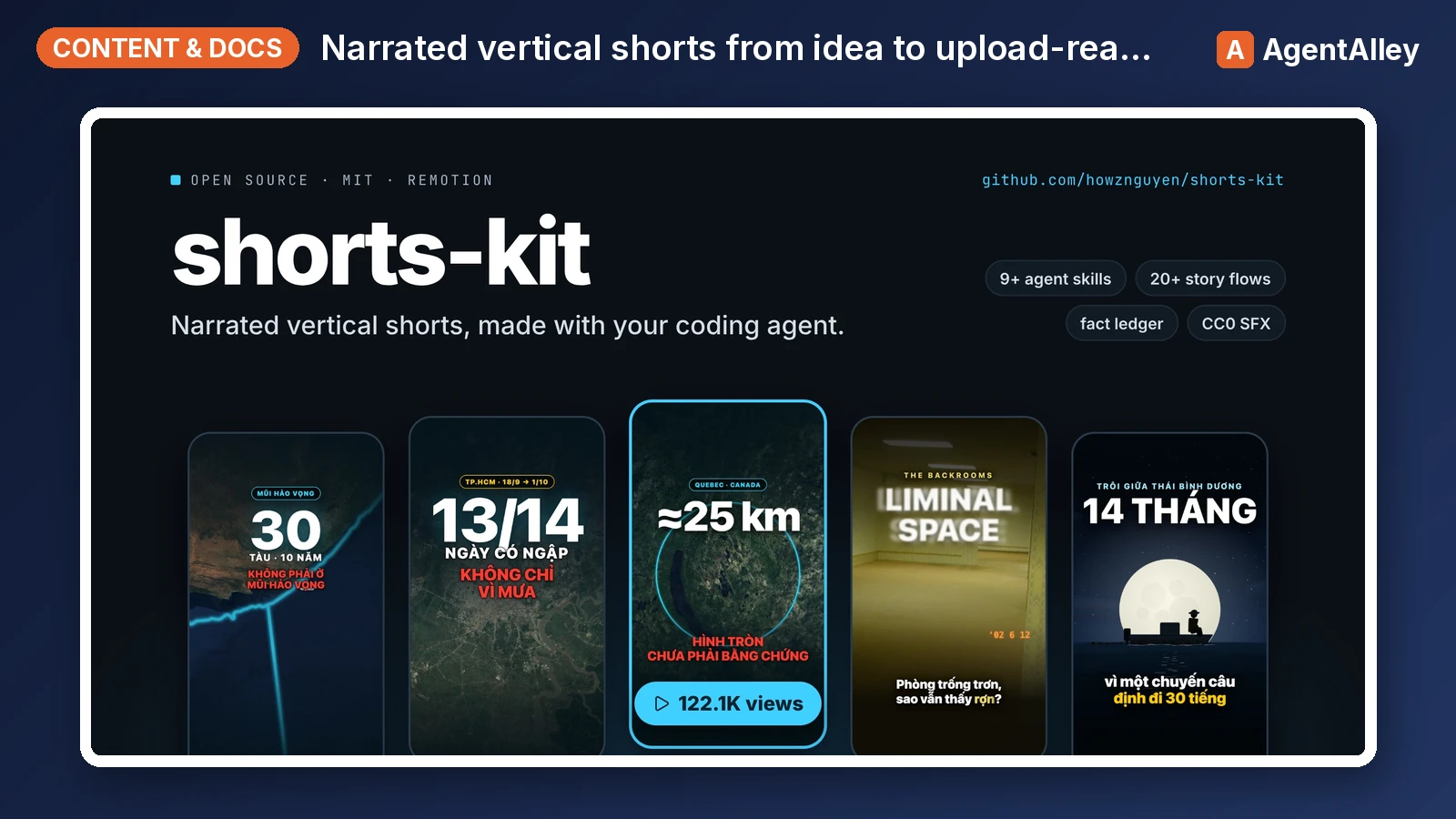 SkillShort Video Pipeline
 howznguyen/shorts-kit · by howznguyenOrchestrates one narrated vertical short (TikTok, YouTube Shorts, Reels) from idea to upload-ready hand-off files, in the fixed order idea, facts, flow and visual choice, brief, narration, TTS, lint, scenes, still review, render, cover, normalize, encode, hand-off. Use when the user says "make a video about X", "start a new short", "take this idea to a finished video", "what's the next step", "where was I on this video", or asks how the whole pipeline fits together. Also when the user gives a video or audio file (or a folder of clips) to edit: "edit this video", "dựng video này", a .mov/.mp4 path. Points at the skill and the SOUL section that governs each step.★ 69 GitHub stars
More from OpenClaudia
 SkillA/B Testing Framework
 OpenClaudia/openclaudia-skills · by OpenClaudiaDesign, plan, and analyze A/B tests with statistical rigor. Use when the user asks about A/B testing, split testing, experiment design, statistical significance, sample size calculation, test duration, multivariate testing, or conversion experiments. Trigger phrases include "A/B test", "split test", "experiment", "statistical significance", "sample size", "test duration", "which version wins", "conversion experiment", "hypothesis test", "variant testing".★ 705 GitHub stars
 SkillAffiliate Marketing ProgramOpenClaudia/openclaudia-skills · by OpenClaudiaBuild and manage an affiliate marketing program. Use when the user says "affiliate program", "affiliate marketing", "affiliate partners", "referral commissions", "affiliate network", "partner program", "affiliate tracking", or asks about creating, managing, or growing an affiliate or partner program.★ 705 GitHub stars
 SkillAhrefs API ManagerOpenClaudia/openclaudia-skills · by OpenClaudiaManages Ahrefs API usage in Python using `ahrefs-python` library. Use when working with SEO / marketing related tasks or with data including backlinks, keywords, domain ratings, organic traffic, site audits, rank tracking, and brand monitoring. Covers `ahrefs-python` usage including AhrefsClient / AsyncAhrefsClient, typed request/response models, error handling, and all API sections.★ 705 GitHub stars
 SkillAI Citations Report GeneratorOpenClaudia/openclaudia-skills · by OpenClaudiaGenerate an AI Citations Report (GEO) for a domain — which AI-search prompts cite the site across Google AI Overview and ChatGPT, plus organic-traffic context and per-article citation coverage. Use when the user asks for an 'AI citations report', 'GEO citations report', or 'which AI prompts cite <domain>'.★ 705 GitHub stars
 SkillB2B Lead EnricherOpenClaudia/openclaudia-skills · by OpenClaudiaResearch and enrich B2B leads using the Apollo.io API. Use when the user says "find leads", "prospect research", "company enrichment", "find decision makers", "B2B leads", "lead research", "enrich contacts", "find VP of marketing at", or asks about finding people at specific companies or in specific roles.★ 705 GitHub stars
 SkillBacklink Health CheckerOpenClaudia/openclaudia-skills · by OpenClaudiaAudit a domain's backlink profile using the SemRush API. Use when the user says "audit backlinks", "check my backlinks", "backlink analysis", "link profile", "toxic links", "disavow", "link building opportunities", "referring domains", "anchor text", or asks about a site's link authority.★ 705 GitHub stars