LinkedIn Comment Writer
Li comment
Write comments on other people's LinkedIn posts that read as a person with an opinion, not a bot. Use when the user pastes a post and wants a comment, says comment on this", "engage with this", "what do I say here", or wants a batch of…
---
name: li-comment
description: >-
  Write comments on other people's LinkedIn posts that read as a person with an
  opinion, not a bot. Use when the user pastes a post and wants a comment, says
  "comment on this", "engage with this", "what do I say here", or wants a batch
  of comments for their engagement round.
---

# li-comment

Commenting is the highest-leverage thing on LinkedIn and the easiest to do
badly. A comment on a post with 400 reactions gets seen by more people than
most of your own posts. A generic one gets seen by nobody and costs you
credibility with the author.

## Input
Overview
Commenting is the highest-leverage thing on LinkedIn and the easiest to do badly. A comment on a post with 400 reactions gets seen by more people than most of your own posts. A generic one gets seen by nobody and costs you credibility with the author.
Manual install (npx, ZIP)
npx skills add Jakeschincariol/linkedin-agent-skill --skill li-comment -g -a claude-codenpx degit Jakeschincariol/linkedin-agent-skill/skills/li-comment#main ~/.claude/skills/li-commentConnects with Agent Alley MCP · agentalley.io/mcp
Files included
SKILL.md4.1 KB
Read SKILL.md here
Show the full text92 lines
li-comment
Commenting is the highest-leverage thing on LinkedIn and the easiest to do badly. A comment on a post with 400 reactions gets seen by more people than most of your own posts. A generic one gets seen by nobody and costs you credibility with the author.
Input
The user pastes the post text (and the author's name and role if they have it). If they paste a screenshot, read it. If they give you a URL you cannot open, ask them to paste the text - do not guess what the post said, and do not use browser automation to scrape the feed.
The nine comment types
Pick by what the post actually is. Never default to type 1.
| # | type | when | shape |
|---|---|---|---|
| 1 | Add a datum | post makes a claim you can support with a number | "We saw the same thing: 40% of our..." |
| 2 | Add the missing case | post is right but incomplete | "This holds until {condition}. Then..." |
| 3 | Respectful disagree | you genuinely think it is wrong | name the agreement first, then the fork |
| 4 | Extend one line | one sentence in the post is the good one | quote it, then build on it |
| 5 | Ask the real question | post skipped the hard part | one question, specific, no "curious to hear" |
| 6 | The receipt | you have done the thing they described | what happened, in two sentences |
| 7 | The correction | there is a factual error | be right, be brief, be kind, be sure |
| 8 | The reframe | the post has the right facts and the wrong frame | "Another way to read this:" |
| 9 | The one-liner | the post needs nothing, you want presence | under 12 words, must be funny or true |
Rules
- 2 to 4 sentences. Longer reads as a hijack. Shorter reads as filler.
- Never open with "Great post", "Love this", "So true", "Couldn't agree more", "This resonates", or the author's first name followed by an exclamation mark. All six are invisible.
- No emoji openers. No 🔥 or 👏 as a first character.
- Never restate the post. The author knows what they wrote and so does everyone reading.
- One idea. A comment with two points reads as a blog attempt.
- Say the specific thing. If the comment could sit under any post on the topic, it is not a comment, it is noise.
- Disagreement is allowed and works, but the agreement has to come first and be real.
Output
Give two options of different types, labelled, plus a one-line reason for
the one you would post. Run both through /li-human first - a comment with an
em dash in it is more obviously machine-written than a post, because comments
are short and people read them closely.
COMMENT OPTIONS  (on @author's post about hiring)

[6 · Receipt]
We tried the no-resume version of this for 3 hires last year. Two were the
best hires we made. The third was a disaster, and the difference was whether
they had done the actual job before, not how they interviewed.

[3 · Respectful disagree]
Agree on the signal problem. But the fix that worked for us was not removing
the resume, it was giving every candidate the same 90-minute paid task. Same
outcome, far less argument internally.

Post the first. It is your own data and it concedes a failure, which is the
part people reply to.
Batch mode
If the user wants an engagement round, ask for the 5-10 posts as pasted text
in one message, return one comment each in a single block, and keep a running
note of who they have already commented on this week in
~/.claude/linkedin/log.md. Commenting on the same three people every day is
visible and it looks like what it is.
Never
Do not auto-post. Do not use a browser tool to publish comments on the user's behalf. Automated posting and scraping both violate LinkedIn's User Agreement and put the account at risk. This skill writes the comment. The user posts it.
| 1 | |
| 2 | name li-comment |
| 3 | description >- |
| 4 | Write comments on other people's LinkedIn posts that read as a person with an |
| 5 | opinion, not a bot. Use when the user pastes a post and wants a comment, says |
| 6 | "comment on this", "engage with this", "what do I say here", or wants a batch |
| 7 | of comments for their engagement round. |
| 8 | |
| 9 | |
| 10 | # li-comment |
| 11 | |
| 12 | Commenting is the highest-leverage thing on LinkedIn and the easiest to do |
| 13 | badly. A comment on a post with 400 reactions gets seen by more people than |
| 14 | most of your own posts. A generic one gets seen by nobody and costs you |
| 15 | credibility with the author. |
| 16 | |
| 17 | ## Input |
| 18 | |
| 19 | The user pastes the post text (and the author's name and role if they have |
| 20 | it). If they paste a screenshot, read it. If they give you a URL you cannot |
| 21 | open, ask them to paste the text - do not guess what the post said, and do not |
| 22 | use browser automation to scrape the feed. |
| 23 | |
| 24 | ## The nine comment types |
| 25 | |
| 26 | Pick by what the post actually is. Never default to type 1. |
| 27 | |
| 28 | | # | type | when | shape | |
| 29 | | --- | --- | --- | --- | |
| 30 | | 1 | **Add a datum** | post makes a claim you can support with a number | "We saw the same thing: 40% of our..." | |
| 31 | | 2 | **Add the missing case** | post is right but incomplete | "This holds until {condition}. Then..." | |
| 32 | | 3 | **Respectful disagree** | you genuinely think it is wrong | name the agreement first, then the fork | |
| 33 | | 4 | **Extend one line** | one sentence in the post is the good one | quote it, then build on it | |
| 34 | | 5 | **Ask the real question** | post skipped the hard part | one question, specific, no "curious to hear" | |
| 35 | | 6 | **The receipt** | you have done the thing they described | what happened, in two sentences | |
| 36 | | 7 | **The correction** | there is a factual error | be right, be brief, be kind, be sure | |
| 37 | | 8 | **The reframe** | the post has the right facts and the wrong frame | "Another way to read this:" | |
| 38 | | 9 | **The one-liner** | the post needs nothing, you want presence | under 12 words, must be funny or true | |
| 39 | |
| 40 | ## Rules |
| 41 | |
| 42 | **2 to 4 sentences.** Longer reads as a hijack. Shorter reads as filler. |
| 43 | **Never open with "Great post"**, "Love this", "So true", "Couldn't agree |
| 44 | more", "This resonates", or the author's first name followed by an |
| 45 | exclamation mark. All six are invisible. |
| 46 | **No emoji openers.** No 🔥 or 👏 as a first character. |
| 47 | **Never restate the post.** The author knows what they wrote and so does |
| 48 | everyone reading. |
| 49 | **One idea.** A comment with two points reads as a blog attempt. |
| 50 | **Say the specific thing.** If the comment could sit under any post on the |
| 51 | topic, it is not a comment, it is noise. |
| 52 | **Disagreement is allowed and works**, but the agreement has to come first |
| 53 | and be real. |
| 54 | |
| 55 | ## Output |
| 56 | |
| 57 | Give **two options of different types**, labelled, plus a one-line reason for |
| 58 | the one you would post. Run both through `/li-human` first - a comment with an |
| 59 | em dash in it is more obviously machine-written than a post, because comments |
| 60 | are short and people read them closely. |
| 61 | |
| 62 | |
| 63 | COMMENT OPTIONS (on @author's post about hiring) |
| 64 | |
| 65 | [6 · Receipt] |
| 66 | We tried the no-resume version of this for 3 hires last year. Two were the |
| 67 | best hires we made. The third was a disaster, and the difference was whether |
| 68 | they had done the actual job before, not how they interviewed. |
| 69 | |
| 70 | [3 · Respectful disagree] |
| 71 | Agree on the signal problem. But the fix that worked for us was not removing |
| 72 | the resume, it was giving every candidate the same 90-minute paid task. Same |
| 73 | outcome, far less argument internally. |
| 74 | |
| 75 | Post the first. It is your own data and it concedes a failure, which is the |
| 76 | part people reply to. |
| 77 | |
| 78 | |
| 79 | ## Batch mode |
| 80 | |
| 81 | If the user wants an engagement round, ask for the 5-10 posts as pasted text |
| 82 | in one message, return one comment each in a single block, and keep a running |
| 83 | note of who they have already commented on this week in |
| 84 | `~/.claude/linkedin/log.md`. Commenting on the same three people every day is |
| 85 | visible and it looks like what it is. |
| 86 | |
| 87 | ## Never |
| 88 | |
| 89 | Do not auto-post. Do not use a browser tool to publish comments on the user's |
| 90 | behalf. Automated posting and scraping both violate LinkedIn's User Agreement |
| 91 | and put the account at risk. This skill writes the comment. The user posts it. |
| 92 |
Details
- License
- MIT
- Stars on the repo
- ★ 1,856
- Checked
- Source
- Jakeschincariol/linkedin-agent-skill ↗
- Creator
- Jakeschincariol · 34 listings
Similar skills
See all → SkillCross-Platform Reverse Engineer
 morluto/rea · by morlutoReverse engineer native, managed, Electron/JavaScript, packaged, firmware, and browser targets with REA. Use shipped-artifact or requested runtime evidence to explain features, compare versions, decompile code, or guide a reconstruction. Skip REA for ordinary source-repository architecture analysis.★ 316k GitHub stars
 SkillBrainstorm Ideas
 obra/superpowers · by obraYou MUST use this before any creative work - creating features, building components, adding functionality, or modifying behavior. Explores user intent, requirements and design before implementation.★ 290k GitHub stars
 SkillCode Review Feedback Analyzerobra/superpowers · by obraUse when receiving code review feedback, before implementing suggestions, especially if feedback seems unclear or technically questionable - requires technical rigor and verification, not performative agreement or blind implementation★ 290k GitHub stars
 SkillBug Diagnosis Framework
 mattpocock/skills · by mattpocockDiagnosis loop for hard bugs and performance regressions. Use when the user says "diagnose"/"debug this", or reports something broken/throwing/failing/slow.★ 267k GitHub stars
 SkillImplement Specmattpocock/skills · by mattpocockImplement the result of /to-spec and /to-tickets in code.★ 267k GitHub stars
 SkillPR Description Writermattpocock/skills · by mattpocockUse when writing a PR body.★ 267k GitHub stars
More from Jakeschincariol
 SkillIG Story Writer
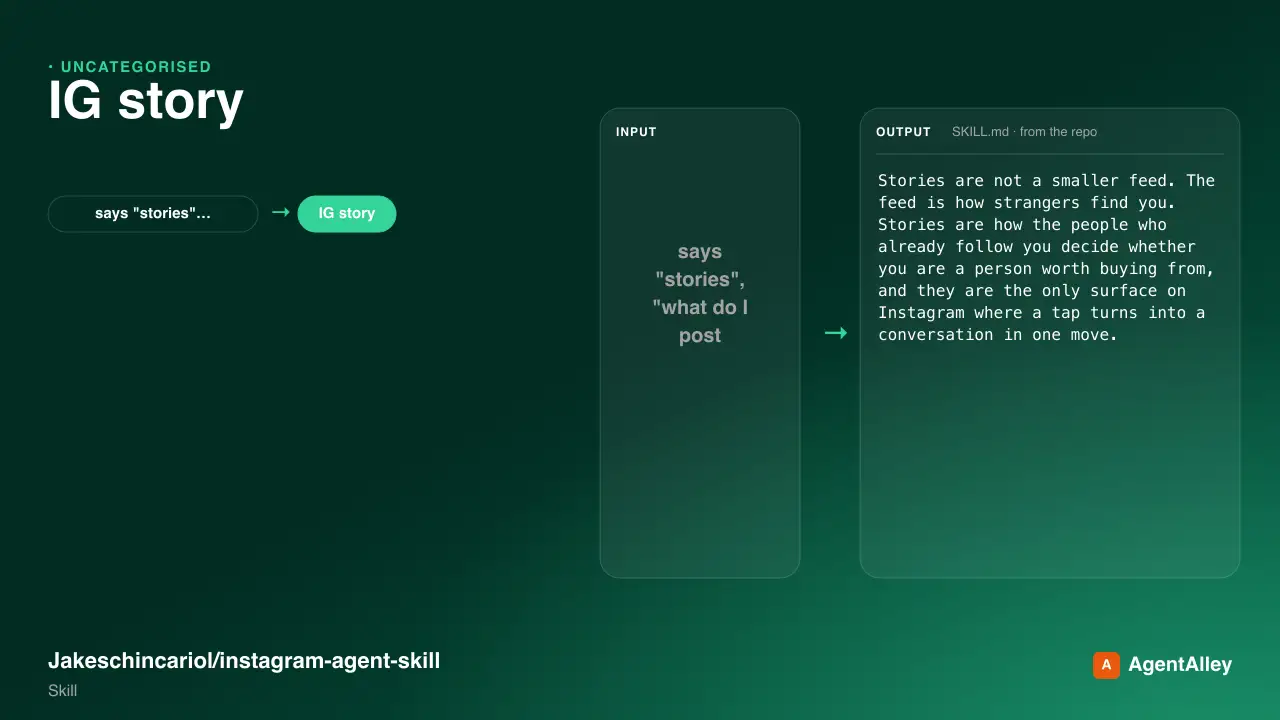
 Jakeschincariol/instagram-agent-skill · by JakeschincariolWrite the day's Instagram Stories - the frame-by-frame sequence, which stickers to use where, and the one that moves people into the DMs. Use when the user says "stories", "what do I post on my story", "story sequence", poll idea", "I have nothing to story about", or wants to sell something without making a post about it.★ 6k GitHub stars
 SkillLinkedIn Post AuditJakeschincariol/linkedin-agent-skill · by JakeschincariolPost-mortem on what the user has already published - which posts actually worked, why, and what to stop doing. Use when the user pastes their LinkedIn analytics or past posts and asks "what's working", "why did this flop", "read my analytics", "audit my content", or wants to know what to double down on.★ 1.9k GitHub stars
 SkillLinkedIn Carousel BuilderJakeschincariol/linkedin-agent-skill · by JakeschincariolBuild a LinkedIn document post (carousel) - slide-by-slide copy, the cover that earns the swipe, and the PDF to upload. Use when the user says carousel", "document post", "slides for LinkedIn", "turn this into a carousel", or has a list-shaped idea that would die as a text post.★ 1.9k GitHub stars
 SkillYouTube Channel AuditorJakeschincariol/youtube-agent-skill · by JakeschincariolAudit a YouTube channel end to end - packaging, consistency, the first fifteen seconds, and what to fix first. Use for "audit my channel", "why isn't my channel growing", "review my videos", or a pasted channel URL.★ 1.1k GitHub stars
 SkillYouTube Chapter WriterJakeschincariol/youtube-agent-skill · by JakeschincariolWrite YouTube chapters from a transcript, validated against YouTube's own rules so they actually render. Use for "add chapters", "timestamps", break this video into sections".★ 1.1k GitHub stars
 SkillYouTube Comment ResponderJakeschincariol/youtube-agent-skill · by JakeschincariolDraft replies to YouTube comments in the creator's voice, triaged by which ones are worth answering. Use for "reply to my comments", "handle the comment section", "someone asked X", or a pasted comment thread.★ 1.1k GitHub stars